clixifix® is a web-based platform so there is nothing to download.
Please do not use the clixifix® apps unless instructed.
To log into clixifix® you need to be invited by email. You cannot log into clixifix® with a phone number.
Once invited, you will receive an email which includes the link to confirm your email address and set your password. Passwords must be;
- Minimum of 8 characters
- Minimum of one upper case letter
- Minimum of one lower case letter
- Minimum of one numeric character
- Minimum of one special character
Once you have set a password, please login using your email address & password. You'll then be asked for a 2FA (Two Factor Authentication code). Please see this article for help with this.
Two Factor Authentication (2FA)
Login Links
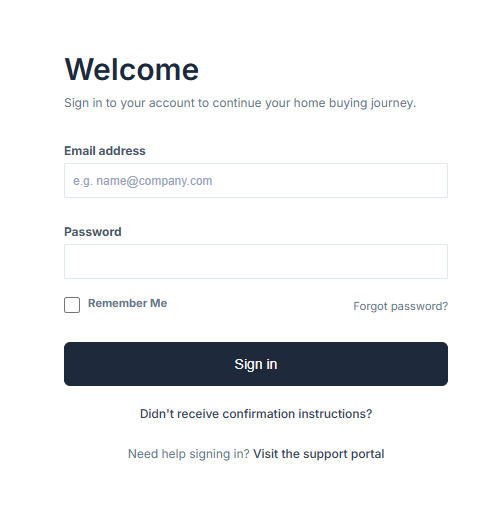
Resident Portal
Use/bookmark this link to access the clixifix® Resident Portal https://myresidentsportal.com/login
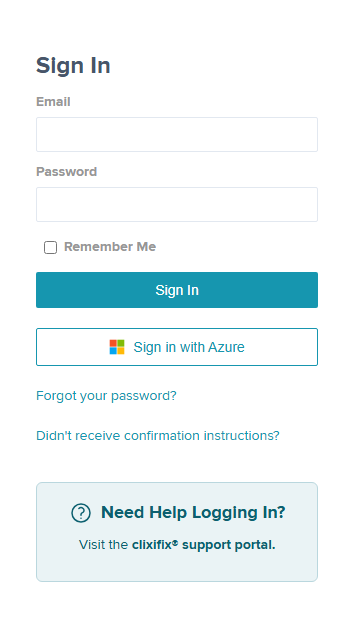
All other users
Use/bookmark this link to access clixifix® - https://app.clixifix®.com/users/sign_in
The link is also available at the top of our homepage www.clixifix.com by selecting My clixifix®
If you are not receiving emails from clixifix®, please check your junk folders and ensure with your internal I.T Team that your inbox can receive emails from notifications@clixifix.co.uk and noreply@clixifix.com

Resident Portal
All other users
Was this article helpful?
That’s Great!
Thank you for your feedback
Sorry! We couldn't be helpful
Thank you for your feedback
Feedback sent
We appreciate your effort and will try to fix the article