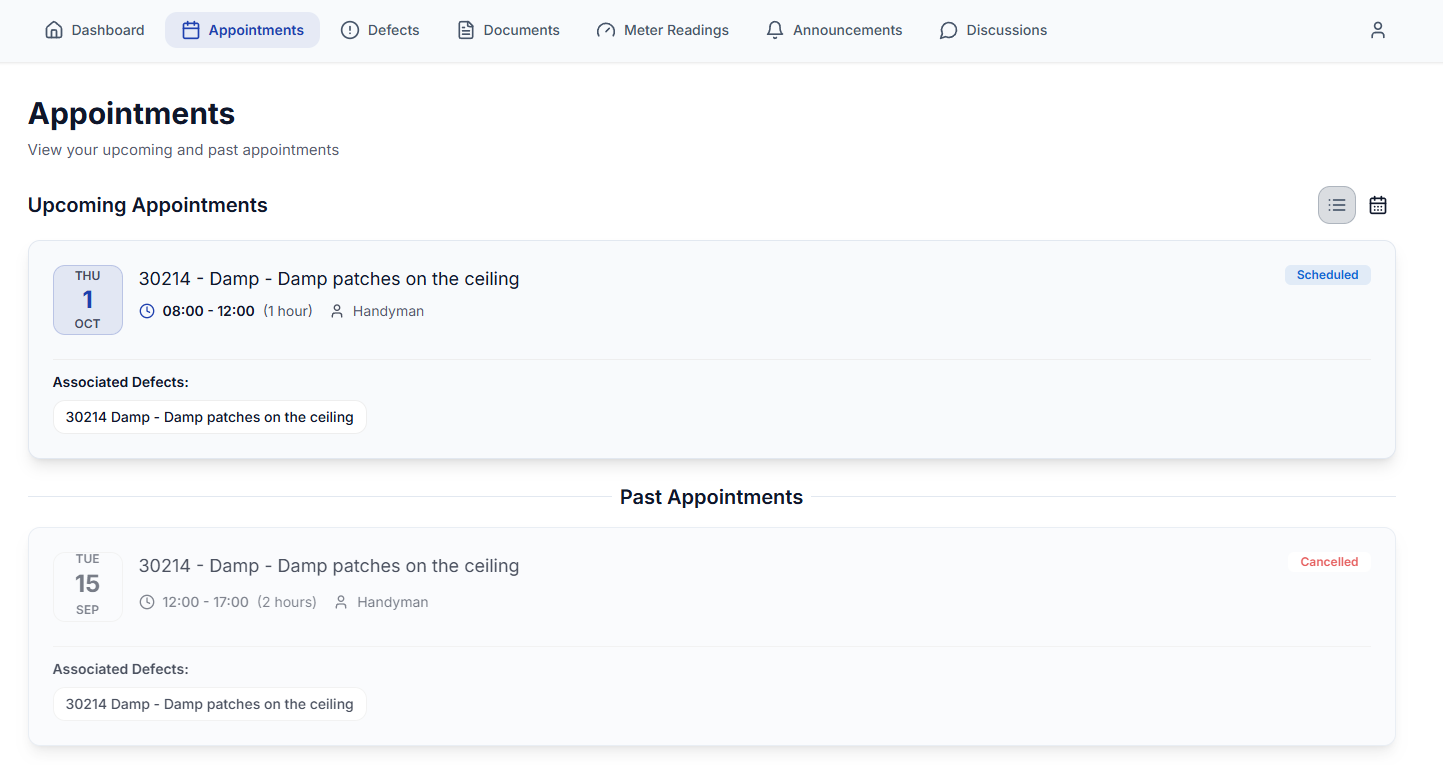
You can view all your Appointments in the Resident Portal against the Defect and within the 'Appointments' tabs.
Appointments Overview
The 'Appointments' tab shows your appointments at a glance. You can see your 'Upcoming Appointments' and 'Past Appointments'.
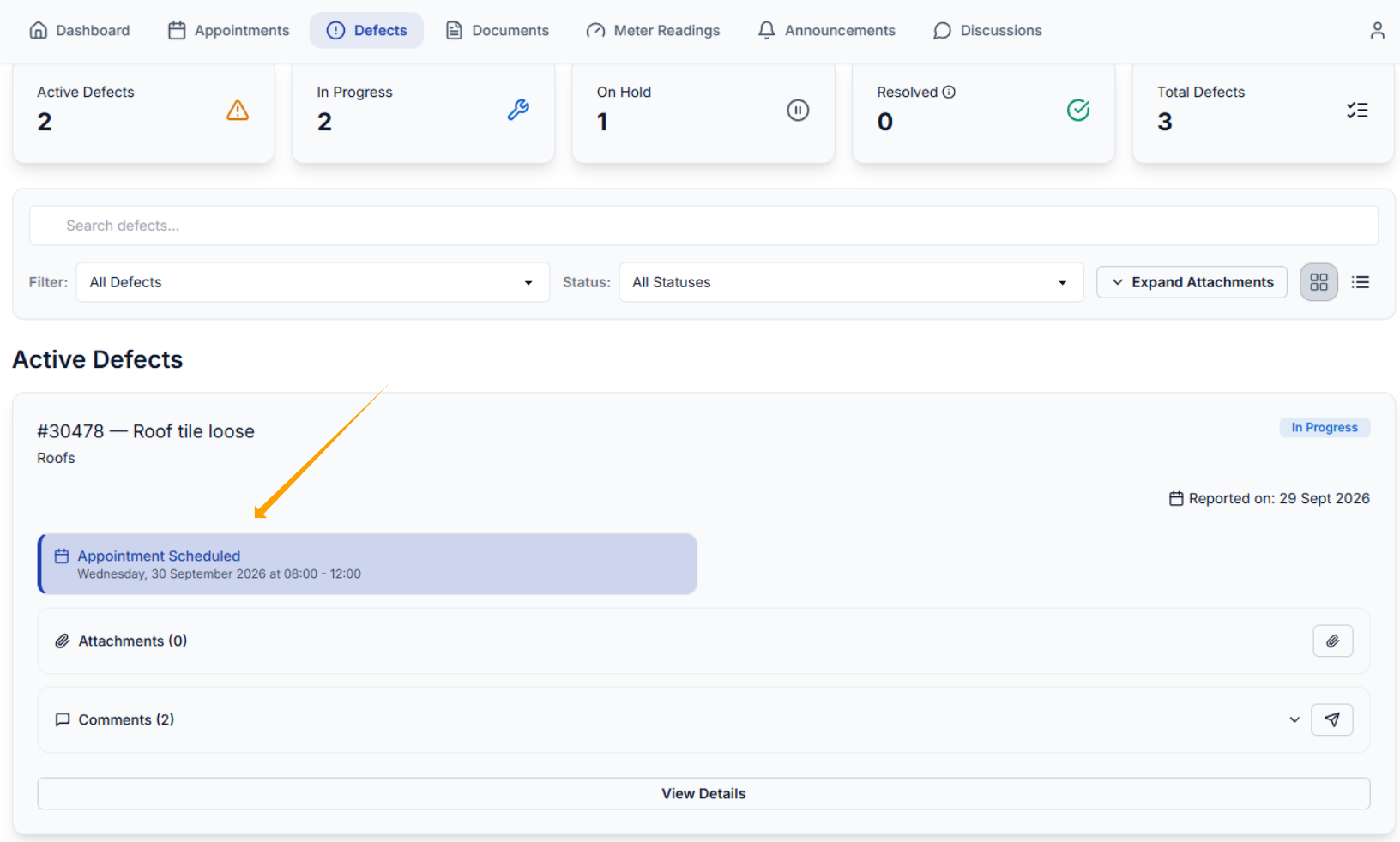
You will also see the appointment info against the Defect, as shown below.
Was this article helpful?
That’s Great!
Thank you for your feedback
Sorry! We couldn't be helpful
Thank you for your feedback
Feedback sent
We appreciate your effort and will try to fix the article