If you need to ask a question to your aftercare team, you can use Discussions to send them a message.
This is used for non-Defect related questions or queries.
Creating a new Discussion
Step 1: Select the Discussions tab & click New Discussion

Step 2: Complete the Title and Body (Description) of the Discussion.
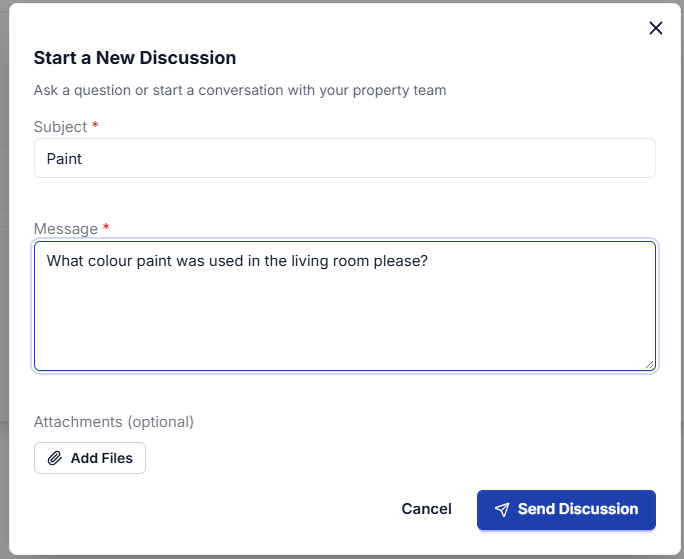
Step 3: Click Submit
Further actions
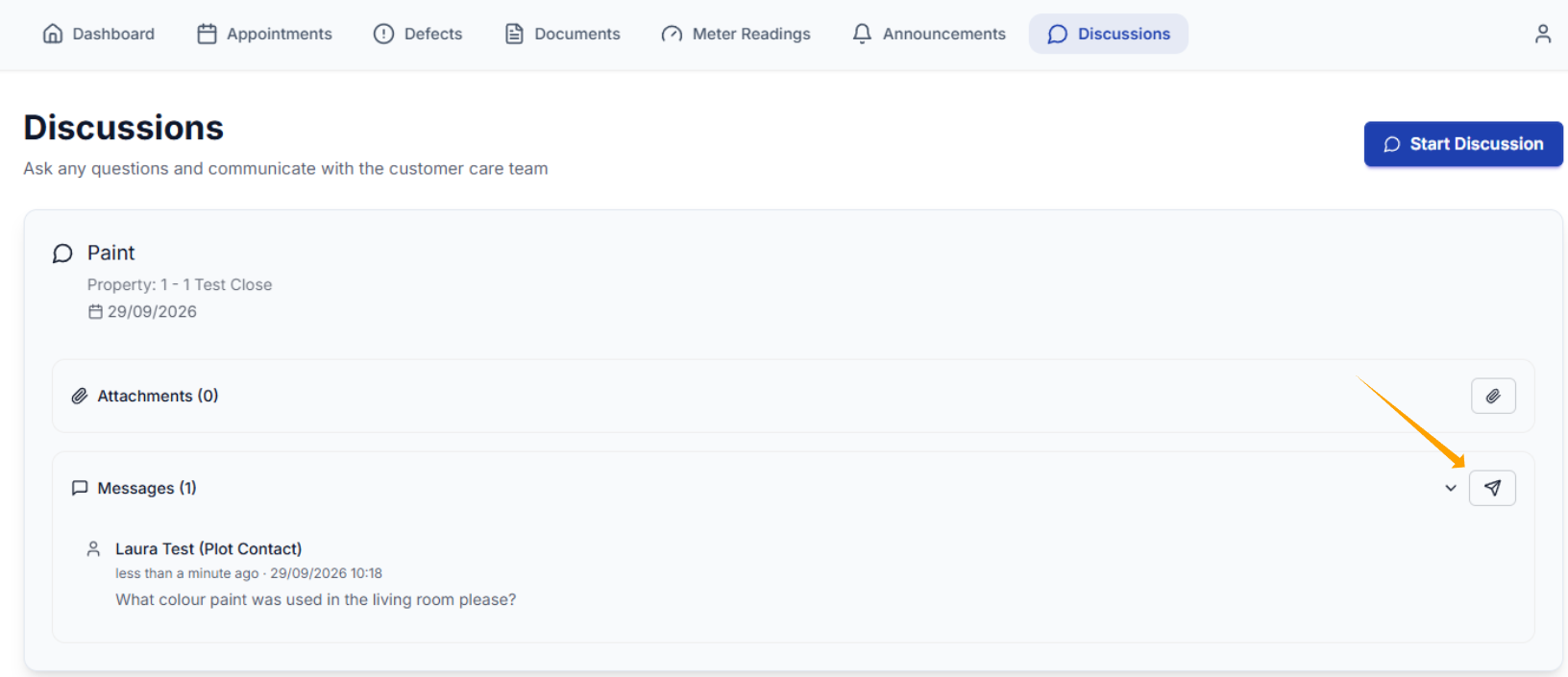
Once your Discussion has been submitted, it will show within the Discussions tab.
To add a comment, click the messenger icon as shown below.
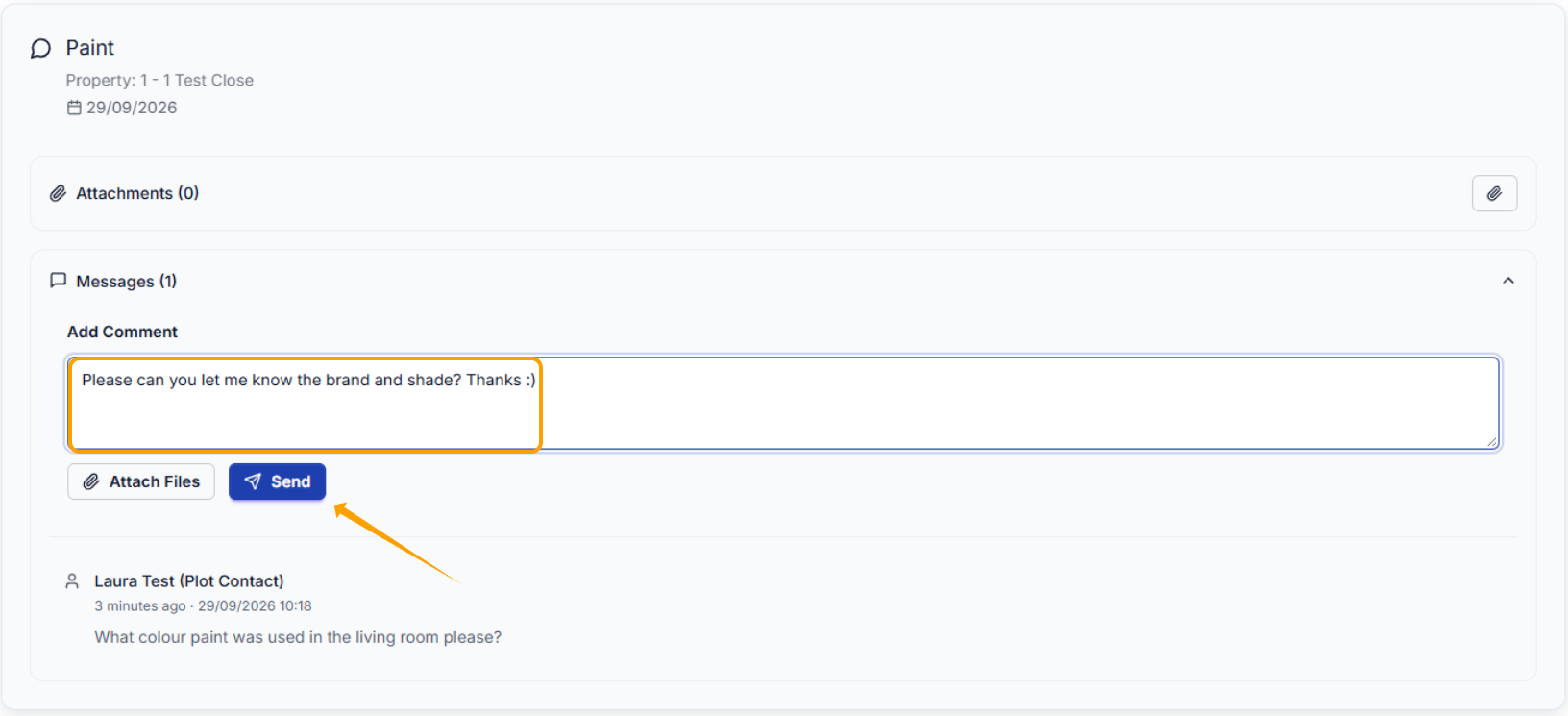
Add your comment in the text box, attach any optional files & click Send
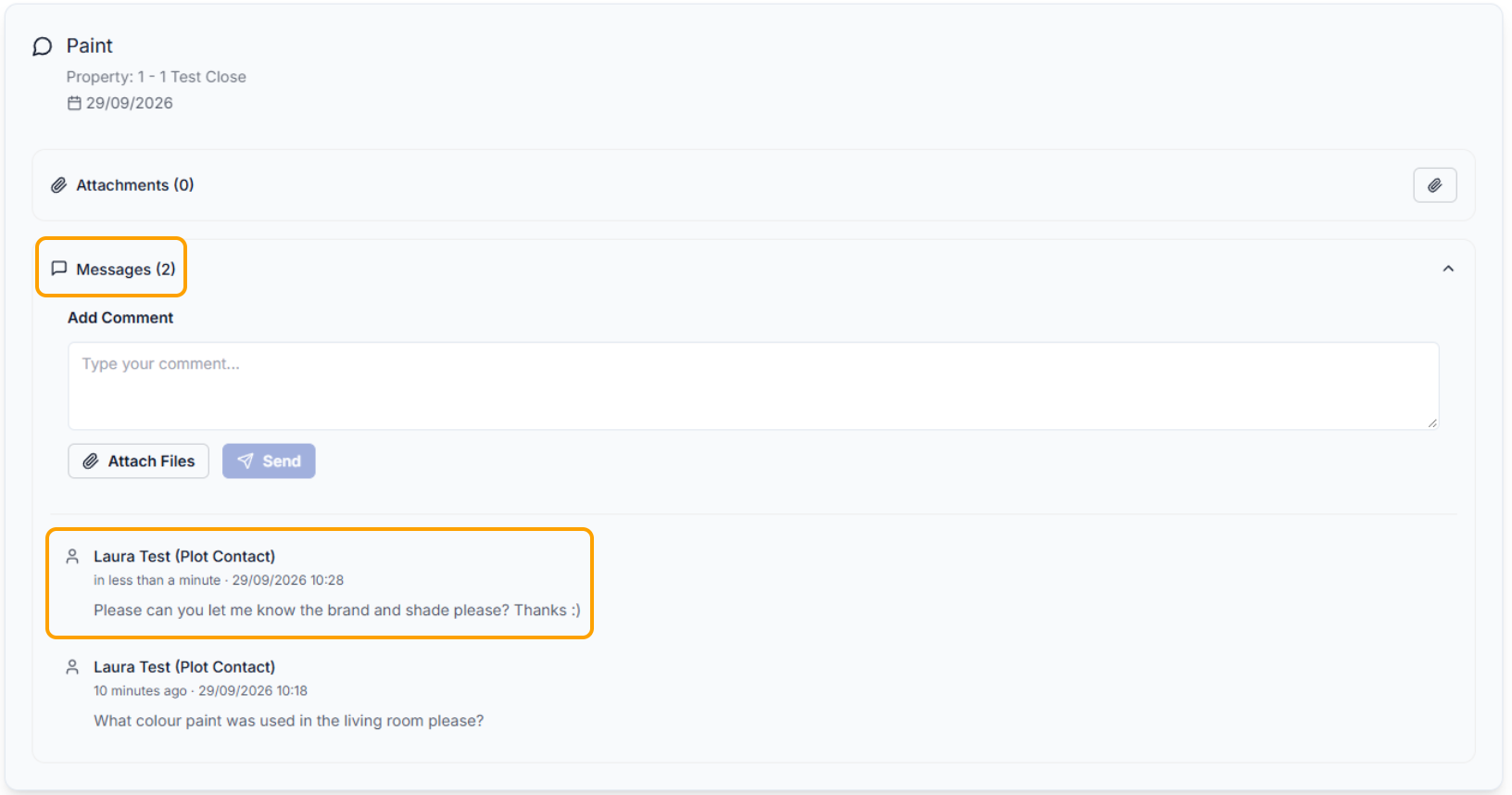
If your comment has been successfully added, you will see it within 'Messages'.
Was this article helpful?
That’s Great!
Thank you for your feedback
Sorry! We couldn't be helpful
Thank you for your feedback
Feedback sent
We appreciate your effort and will try to fix the article