Freemium Subcontractor users can now manage notifications within their account per Scheme/Project. This can only be managed by admin users within the freemium account.
Managing notifications
Step 1: Navigate to Users
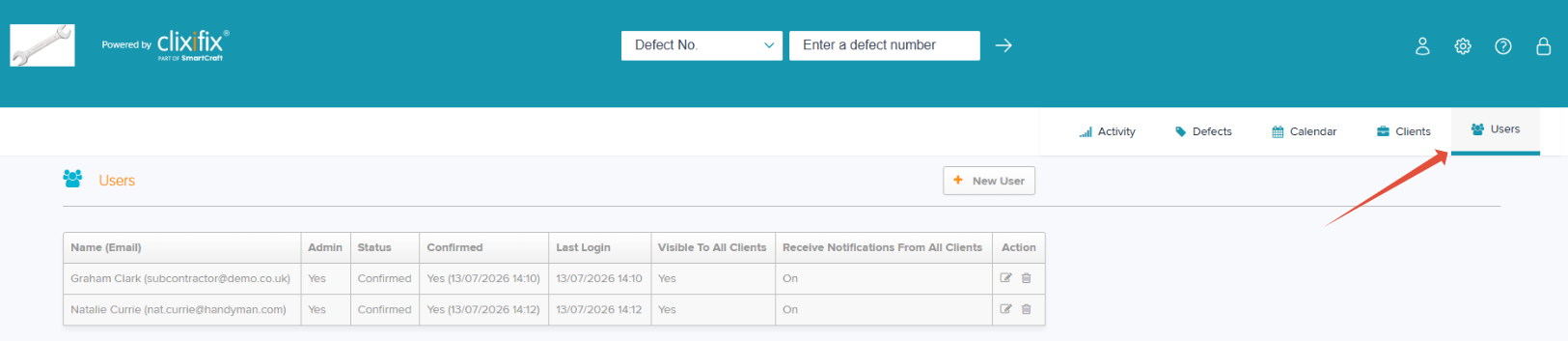
Step 2: Within the Actions column select the pencil icon on the user you want to amend the notifications for.
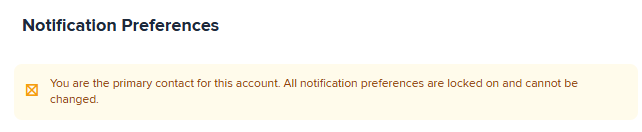
If the user is the primary email you cannot amend their preferences. Please contact support if this user needs to be changed.
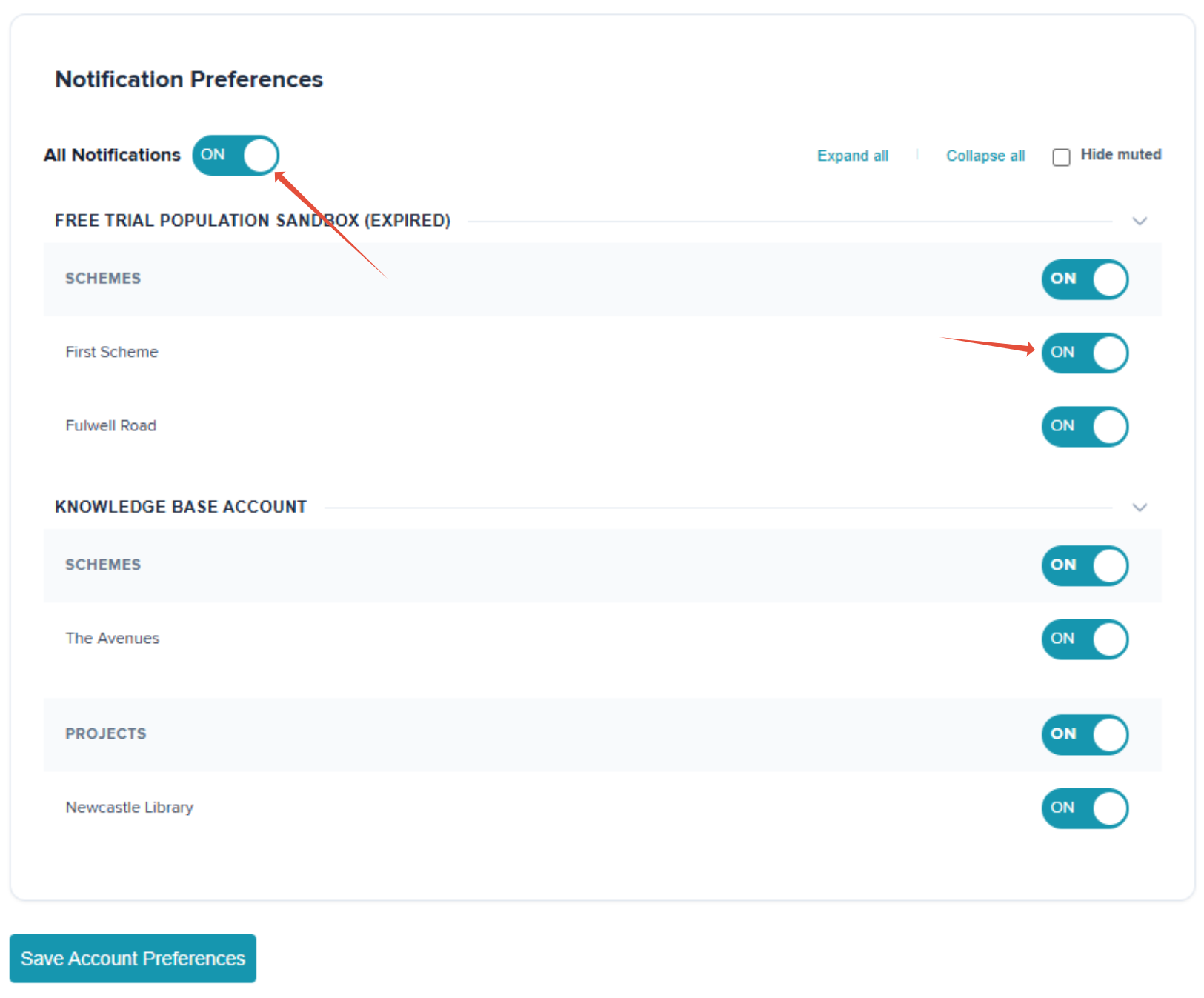
Step 3: If you want all notifications switched off turn the 'All Notifications' toggle to off. If there are specific Schemes / Projects you do not want notifications for you can manage these individually by changing the corresponding toggle to off.
Step 4: Select Save Account Preferences once complete.
Was this article helpful?
That’s Great!
Thank you for your feedback
Sorry! We couldn't be helpful
Thank you for your feedback
Feedback sent
We appreciate your effort and will try to fix the article