AI assisted image analysis is a standard feature included with your account.
It does not require tokens to operate.
Our AI Image Analysis feature helps make reporting Defects in your home quicker, easier and more accurate.
By uploading a photograph of the issue, AI Image Analysis can examine the image and help identify the potential Defect, making it easier to provide the description and Defect Category required.
To utilise this feature, raise a Defect as usual and populate all required contact fields for Scheme/Plot/Contact details.
Ensure that the AI Image Analysis toggle is 'ON' for when you upload your Defect images.
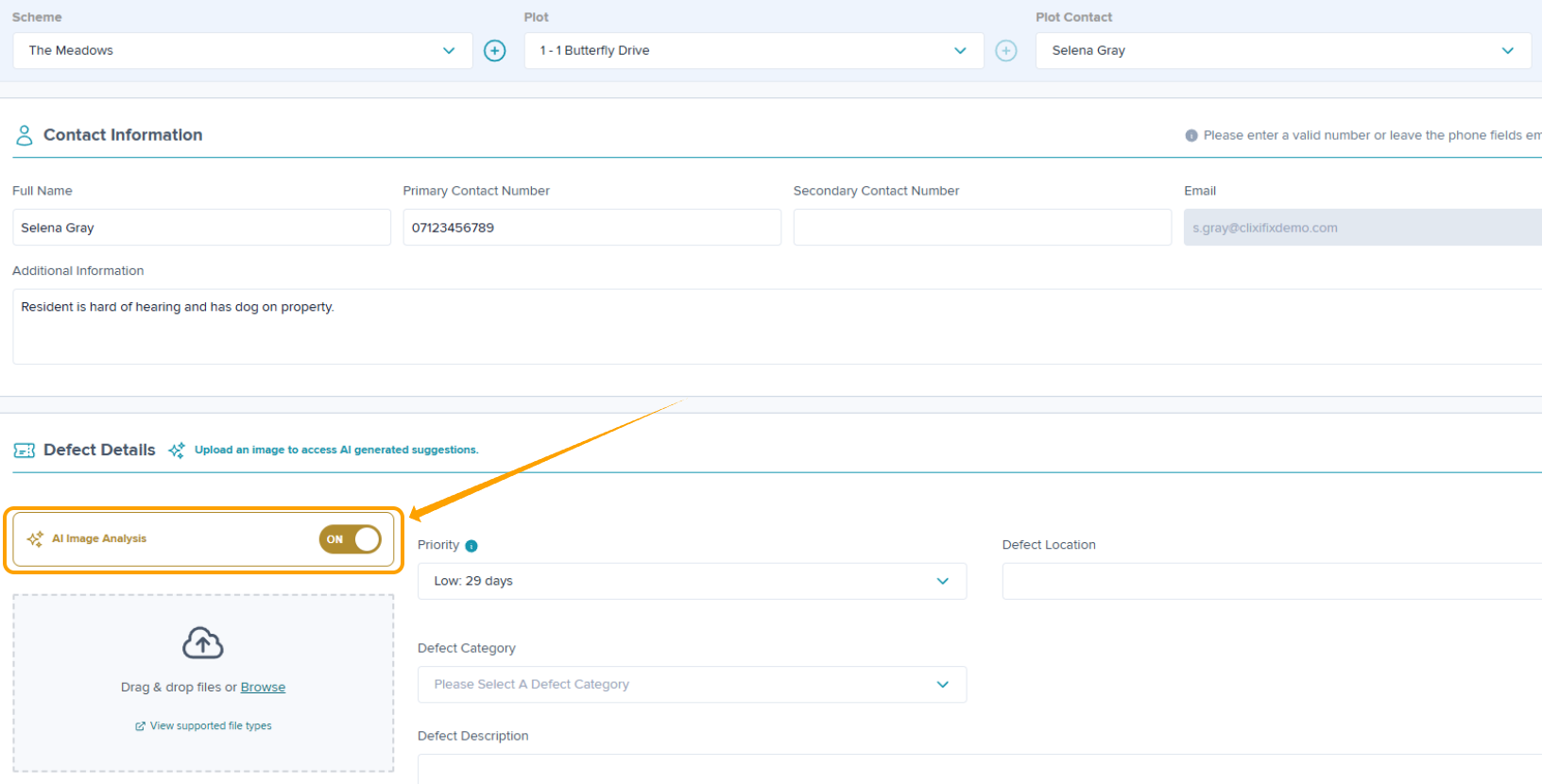
Upload the photo of the Defect from your device or take a new photo. You will receive a pop-up advising your image is being analysed.
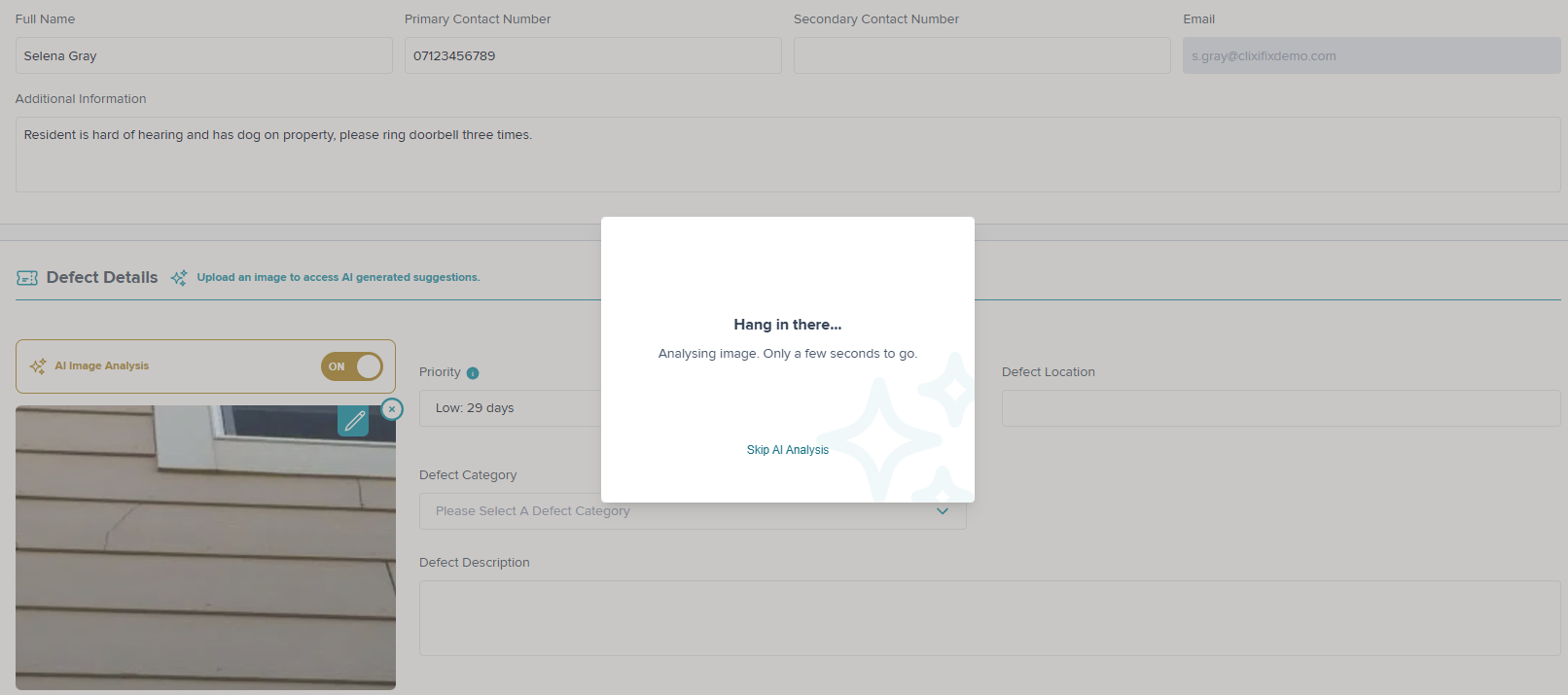
Tip: For best results, ensure photographs are taken in good lighting and ensure the affected area is clearly visible. Avoid blurry images or photographs containing other unrelated issues.
Once uploaded, AI Image analysis will analyse the image and attempt to identify the issue shown. The results are based on the information the photograph provides, so descriptions generated may vary depending on the image quality and how clearly the Defect is visible.
Fields populated by the AI Image analysis will be marked with the symbol below:

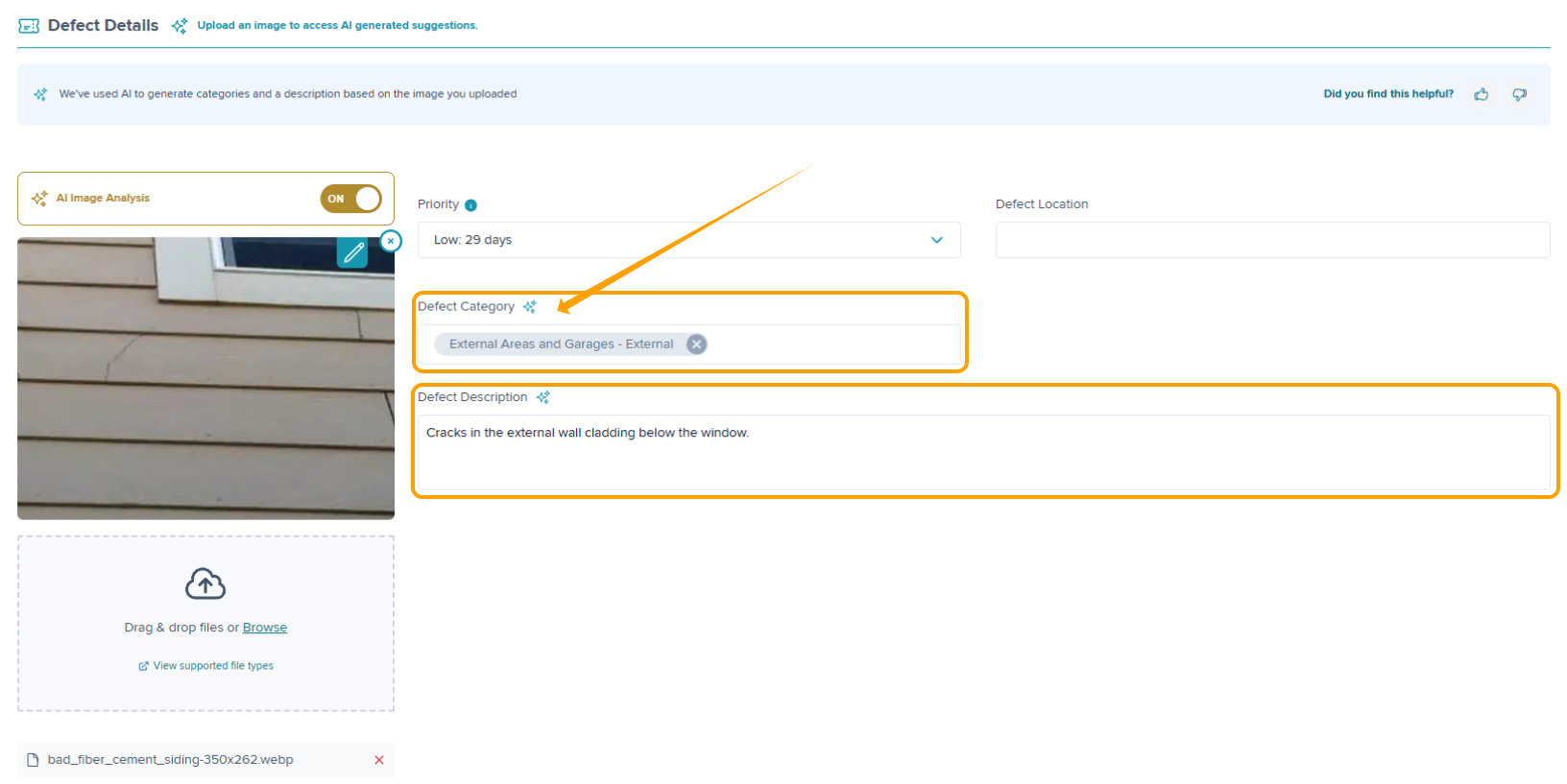
Once AI image analysis has finished, review the information provided.
It is important to check that the suggested information accurately reflects the Defect you are raising.
If the AI image analysis is correct you can proceed with the suggested details.
If the AI image analysis is incorrect or does not fully describe the issue, amend the relevant fields by manually entering any missing required information before continuing.
You can complete the raising of your Defect once you are happy with the information.
Was this article helpful?
That’s Great!
Thank you for your feedback
Sorry! We couldn't be helpful
Thank you for your feedback
Feedback sent
We appreciate your effort and will try to fix the article