The AI Nomination Assistant is a CT-Powered AI Agent, using CT (clixifix® tokens) to operate.
All accounts have 10,000CT free each month. These tokens cannot be banked or rollover into the next month. They will be accessible by all users.
The CT can then be purchased in monthly packages of;
Bronze - 100,000CT - £50 per month
Silver - 500,000CT - £150 per month
Gold - 2,000,000CT - £300 per month.
The AI Nomination Assistant is designed to help teams identify and select the most appropriate Subcontractor when nominating a Defect.
There are two ways to utilise the AI Nomination Assistant. You are able to use the AI Nomination Assistant during the process of raising a Defect, or after the Defect has been raised.
For using the AI Nomination Assistant whilst creating a Defect, please see our article AI Nomination Assistant (Raising Defects).
How to use the Nomination Assistant when Nominating a Defect
To use the AI Nomination Assistant when Nominating a Defect, first select the Defect you wish to Nominate.
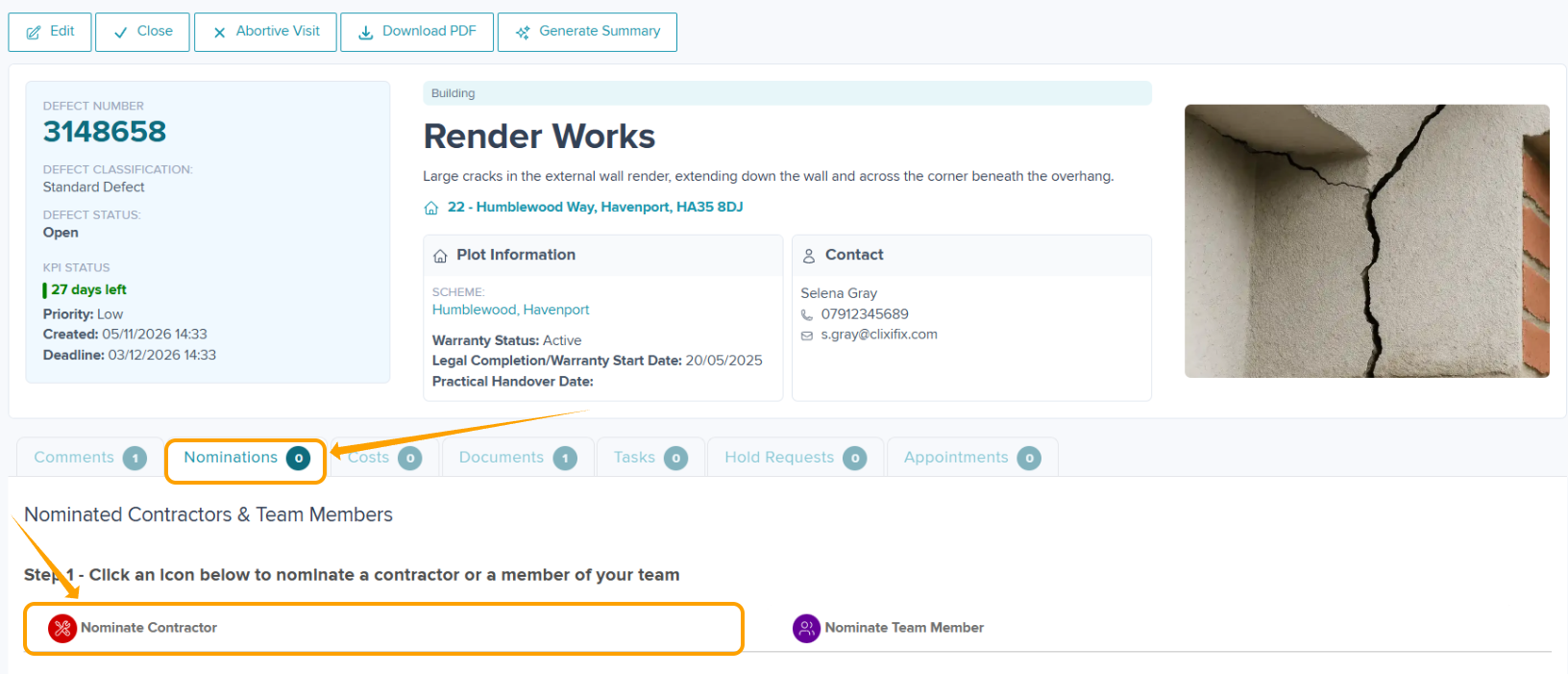
Step 1: Select the 'Nominations' tab, and click 'Nominate Contractor' shown below.
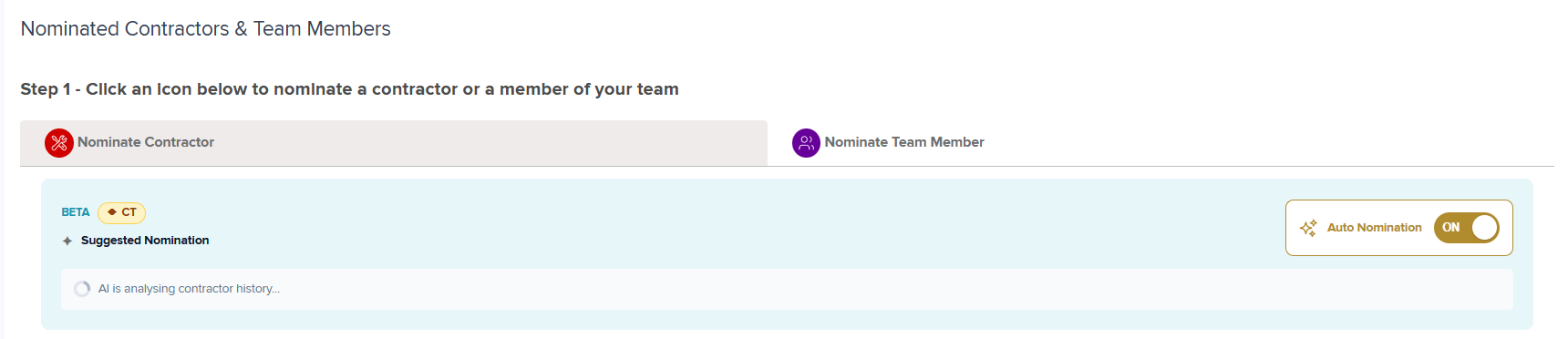
The AI Nomination Assistant will then assess Subcontractors who have previously completed Nominations on that Scheme and Defect Category and present options for consideration.
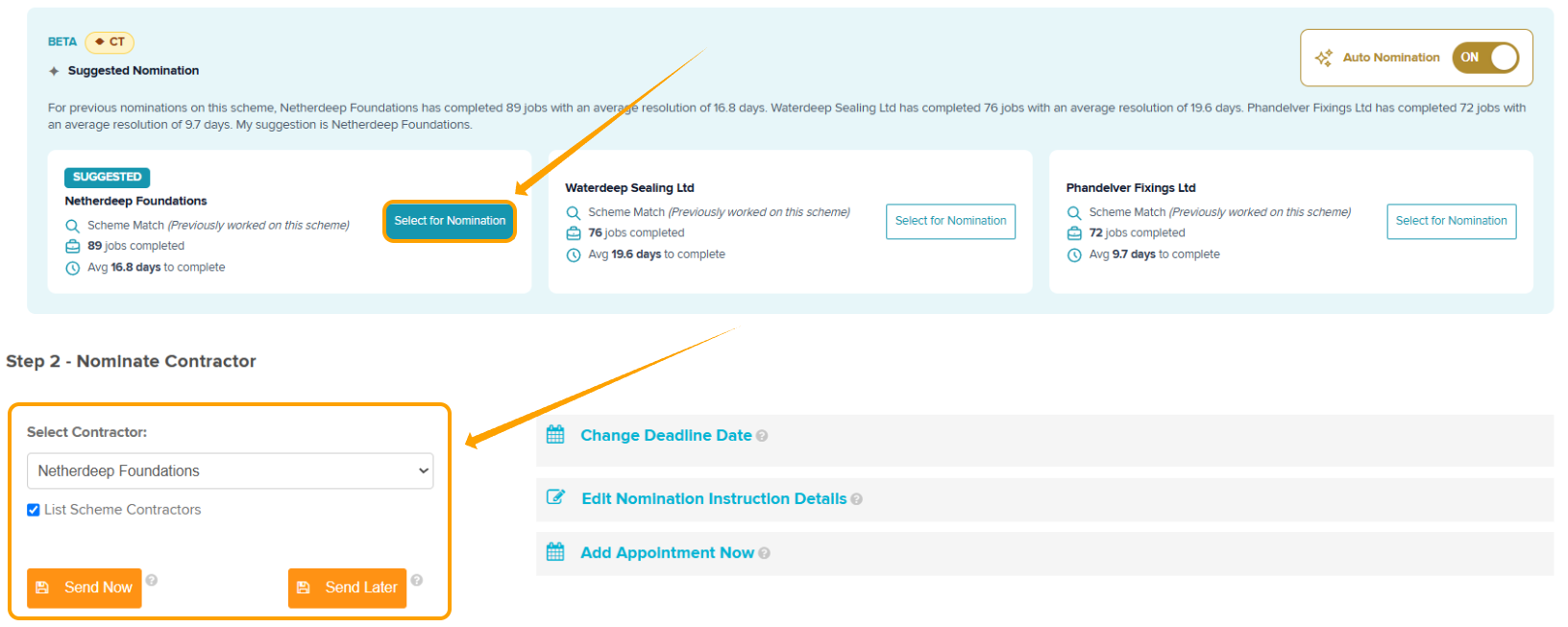
Once the suggestion has been generated the suggestions will be presented as shown below for your consideration.

The suggested Subcontractor will be flagged automatically as 'Select for Nomination' and it will auto-populate into 'Nominate Contractor'.
From here you can select 'Send Now' or 'Send Later'.
Was this article helpful?
That’s Great!
Thank you for your feedback
Sorry! We couldn't be helpful
Thank you for your feedback
Feedback sent
We appreciate your effort and will try to fix the article