The SMS Broadcast feature is an advanced feature. If you would like more information please speak with your Account Manager.
The clixifix® SMS Broadcast feature allows you to create bespoke text messages which can be sent in bulk to communicate to your plot contacts. Only Admins can send a Scheme Broadcast.
For the SMS to send, contacts must have a valid mobile number within the 'Contacts' tab & be an active/unarchived plot.
The alpha tag (sender) of the SMS will show as clixifix, as shown in the example below.
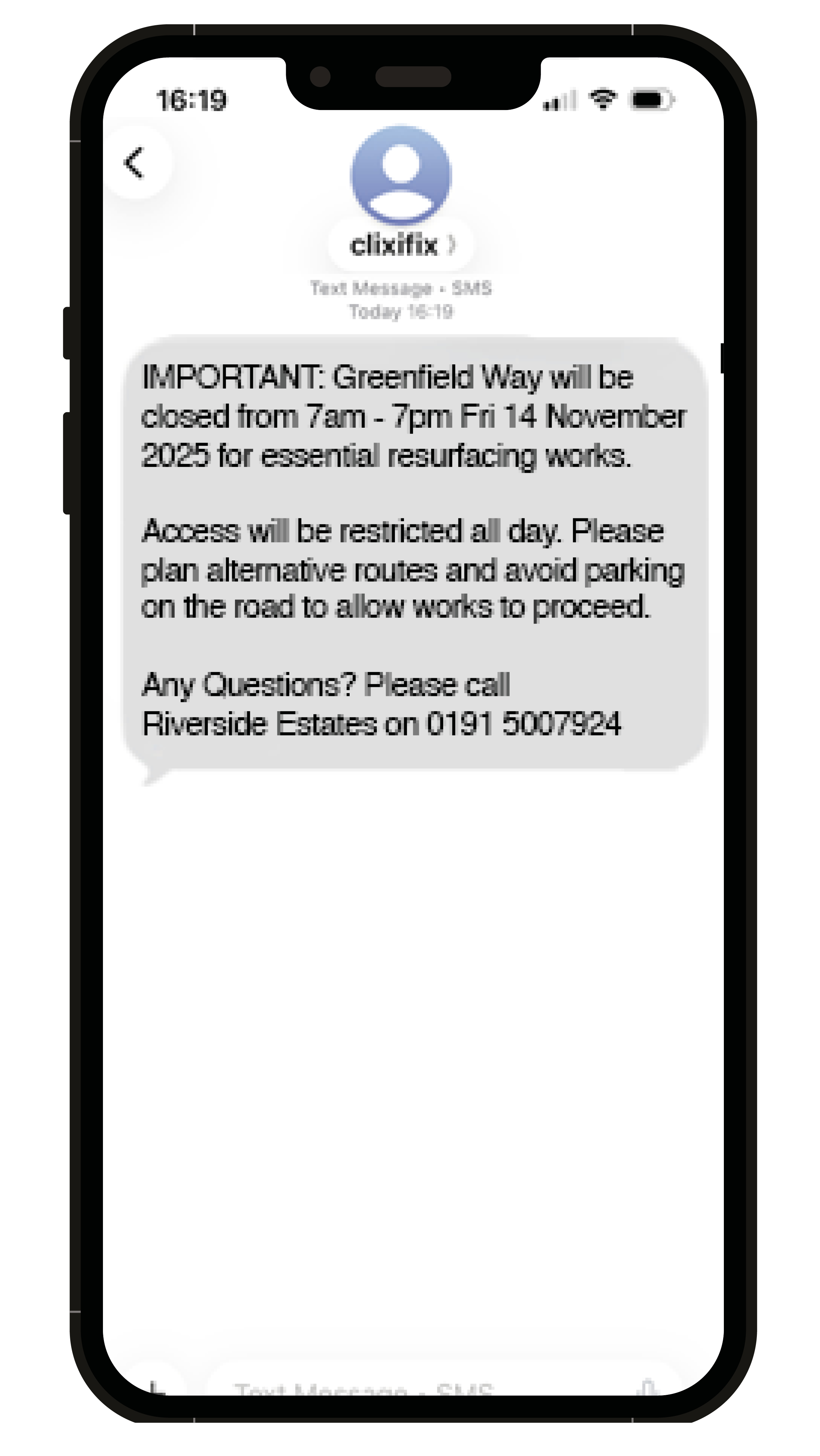
Sending an SMS Broadcast
Step 1: Head to Admin > Broadcasts
Step 2: Select 'Create New Broadcast'
Step 3: Select the Scheme.
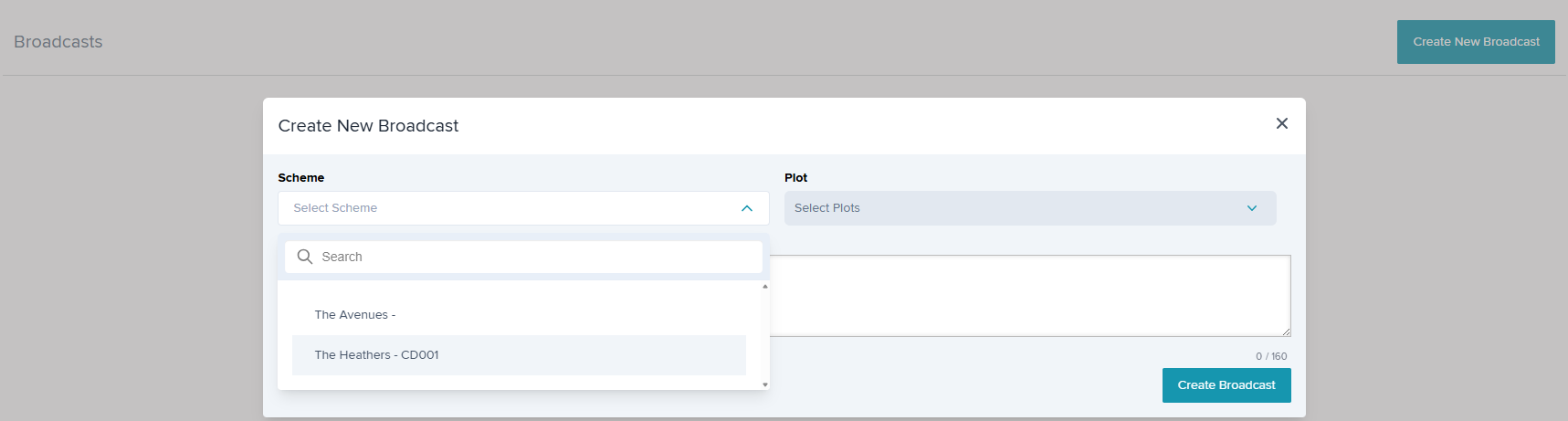
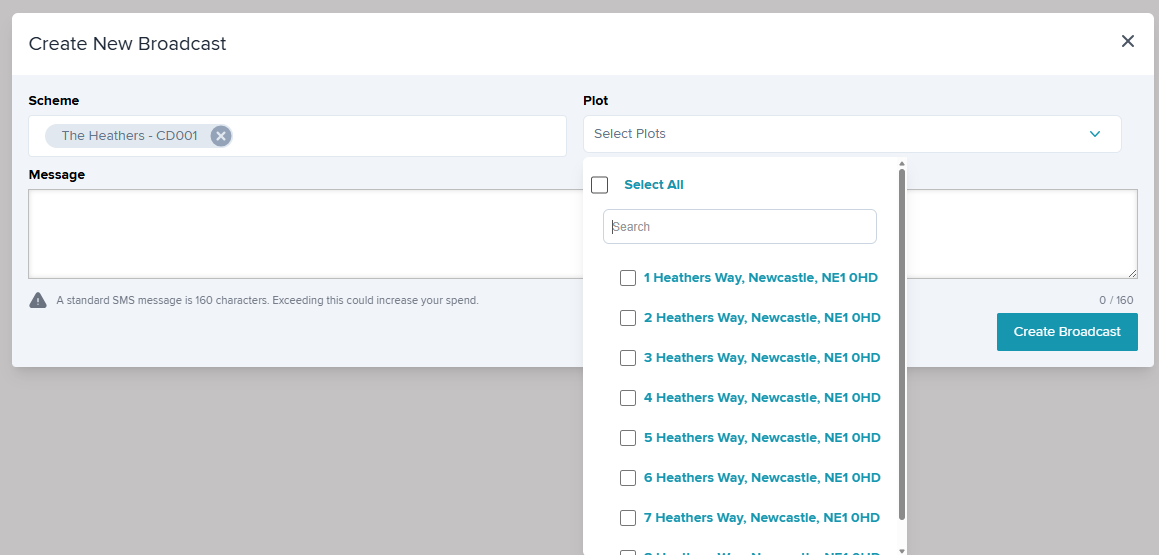
Step 4: Select the Plot(s). You can Select All or select specific plots. There is a search option too.
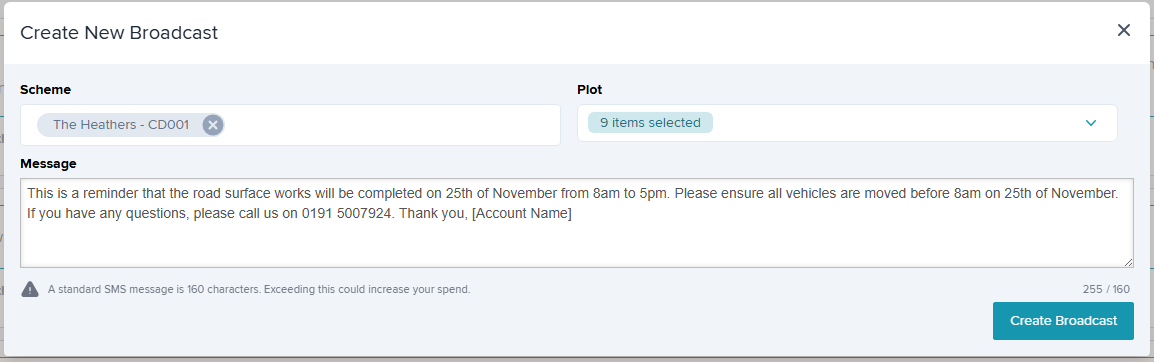
Step 5: Enter your message & select 'Create Broadcast'.
SMS is a no-reply feature. We recommend adding a point of contact, an email or number and who the message is from within the body of your SMS.
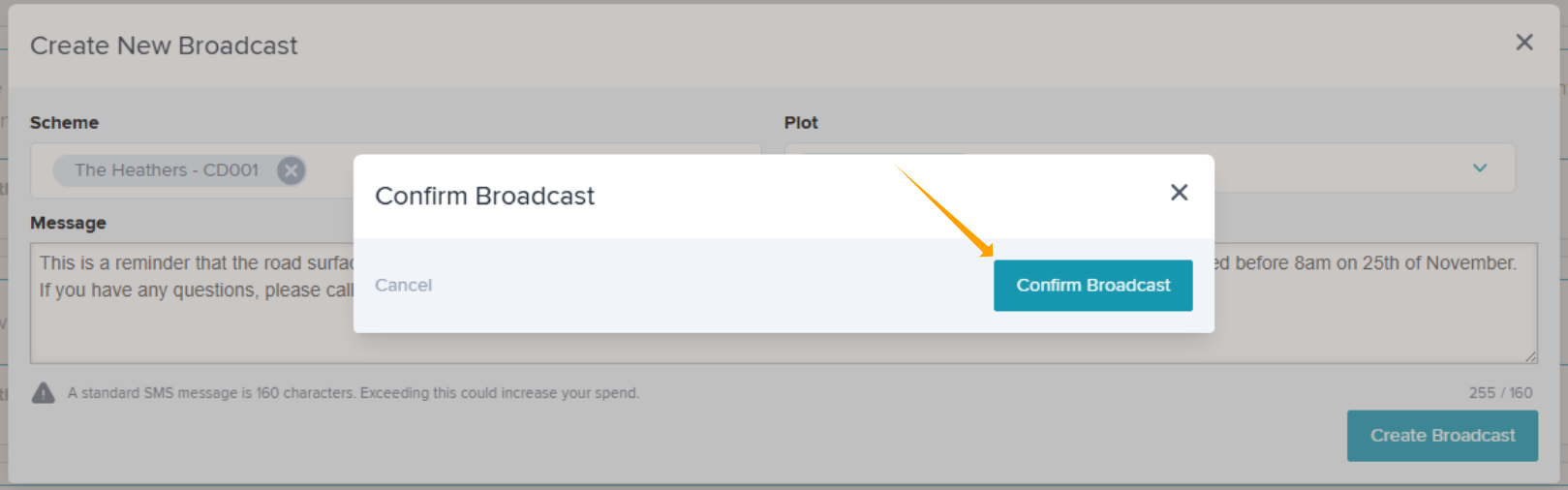
Step 6: Confirm you wish to send the broadcast.
Audit Trail
An audit trail will be recorded in the 'Broadcasts' tab on the Plot. This includes a date & time stamped copy of the broadcast message.

All Broadcasts will be recorded in the Admin > Broadcasts, showing when the broadcast was sent & plot count for that scheme.

Was this article helpful?
That’s Great!
Thank you for your feedback
Sorry! We couldn't be helpful
Thank you for your feedback
Feedback sent
We appreciate your effort and will try to fix the article