The Appointment SMS feature is an advanced feature. If you would like more information please speak with your Account Manager.
The clixifix® Appointment SMS feature gives you the option to send a text message to your contacts for;
- Appointment booked
- Appointment rescheduled
- Appointment reminder (24 hours prior)
- Appointment cancellation

Sending an Appointment SMS
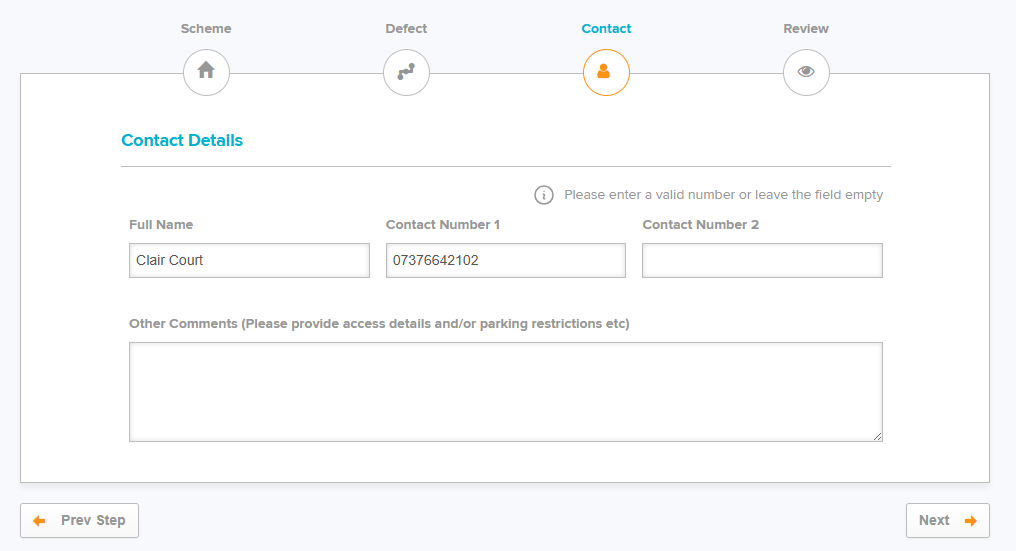
Step 1: When creating a Defect, enter a valid number in the Contact Number 1 field & follow the steps on the next pages to submit your Defect.
Step 2: Once your Defect is raised, you can add your nomination and appointment.
SMS will default to ON/ticked, you can untick this if you do not want to send SMS.
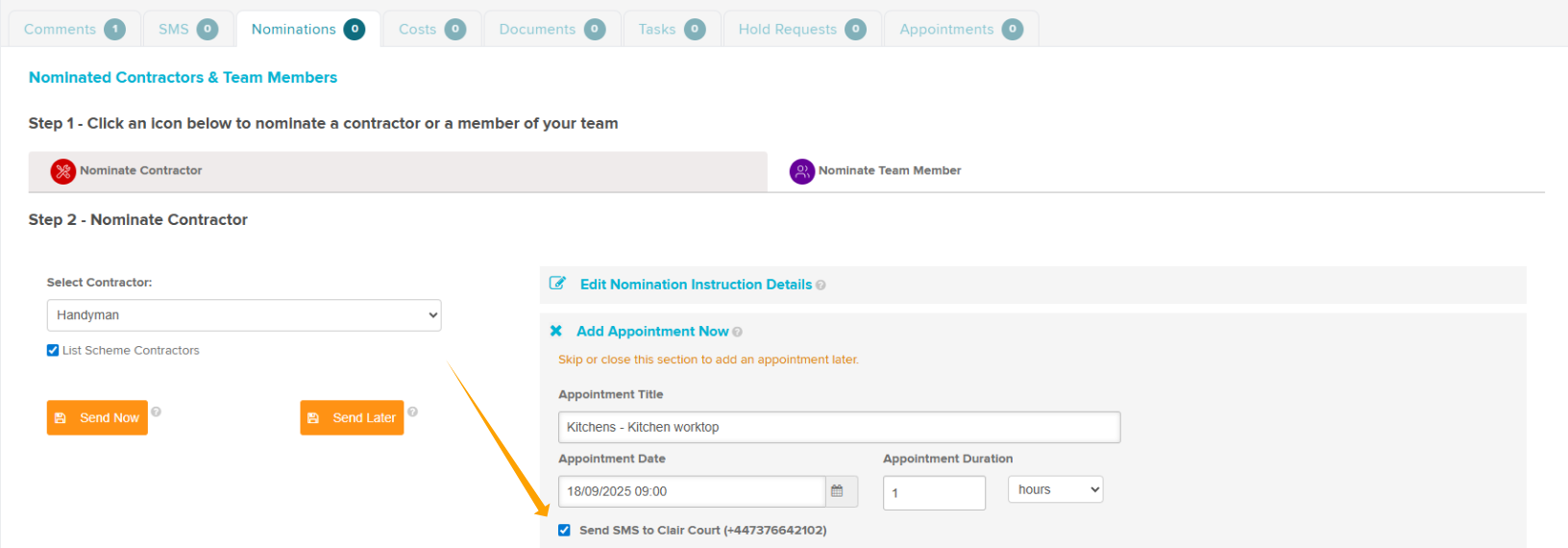
Step 3: Click Send Now
Amending Appointments
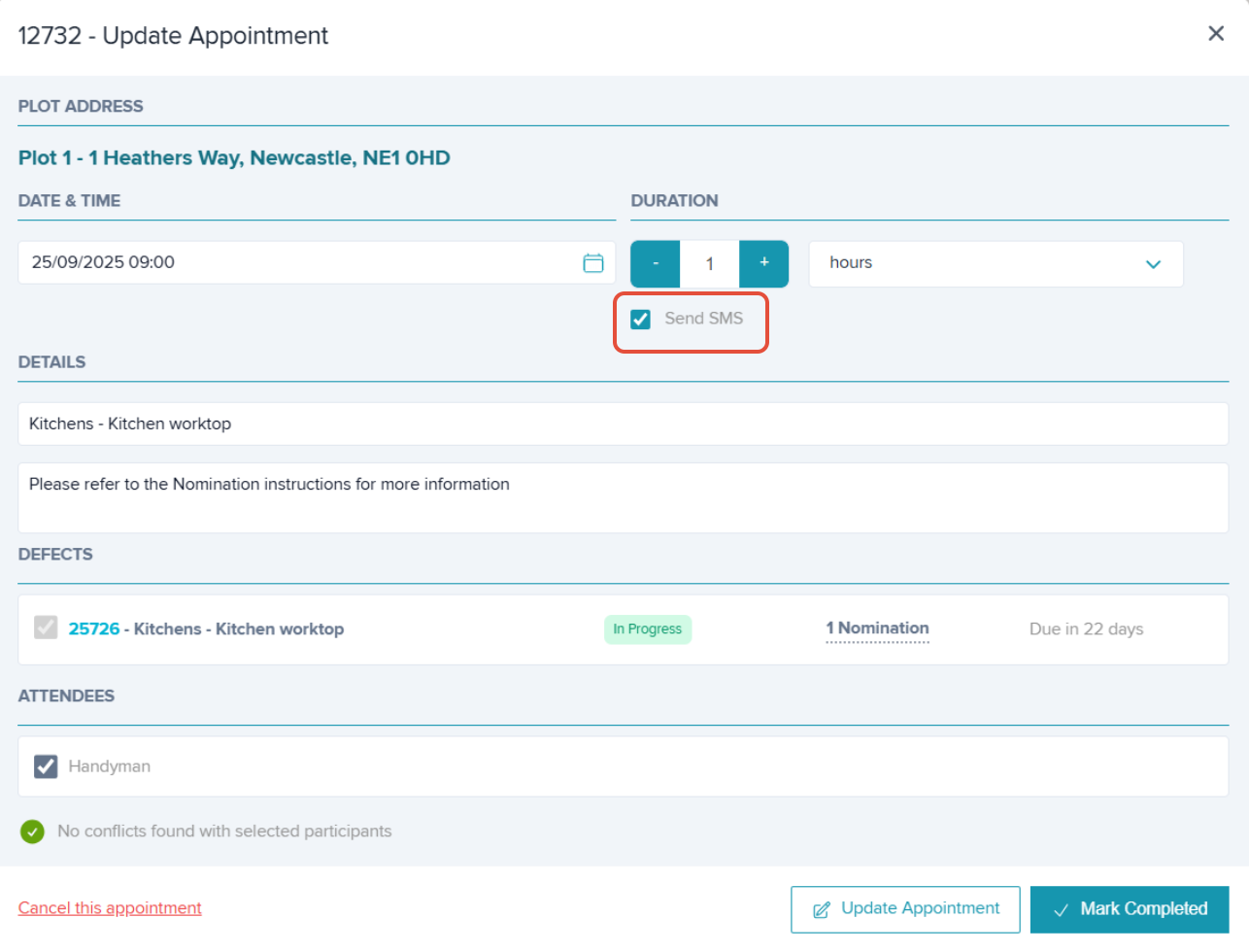
When rescheduling or cancelling the appointment you can choose if the recipient is notified by SMS.
Simply untick the box next to 'Send SMS' if you do not want an SMS to be sent.
Audit Trail
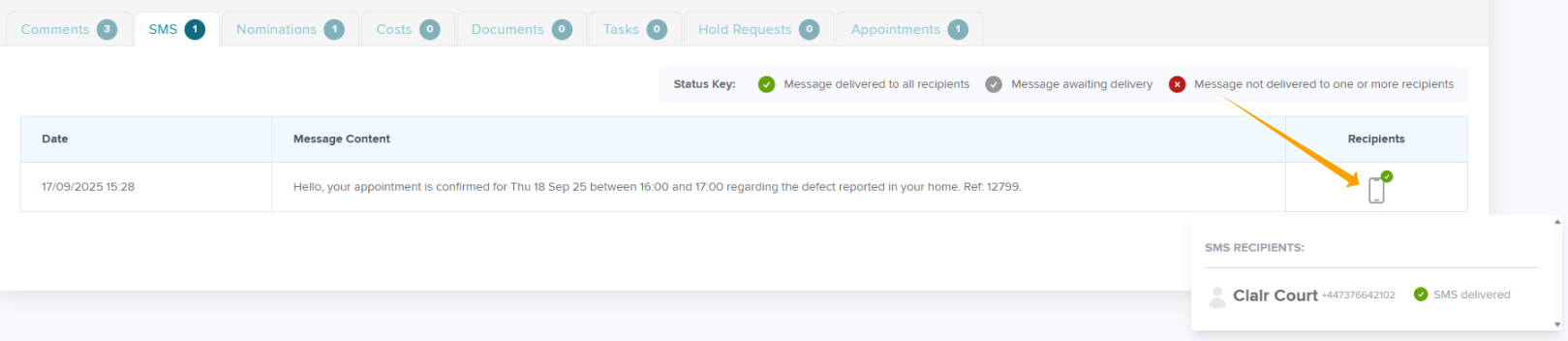
An audit trail will be recorded in both the 'SMS' and the 'Comments' tabs.
This includes the date and time, message content, and recipients. You can use the Status Key within the SMS tab to see view the delivery status of the message by hovering over the phone icon.
Was this article helpful?
That’s Great!
Thank you for your feedback
Sorry! We couldn't be helpful
Thank you for your feedback
Feedback sent
We appreciate your effort and will try to fix the article