The Freeform SMS feature is an advanced feature. If you would like more information please speak with your Account Manager.
The clixifix® Freeform SMS feature allows you to create bespoke messages on a Defect. This can be useful for sending information or reminders relating to a Defect e.g. clearing work surfaces/ventilating the work space etc.
SMS is a no-reply feature. We recommend adding a point of contact, an email or number and who the message is from within the body of your SMS.
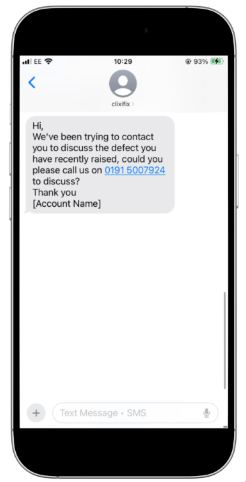
The alpha tag (sender) of the SMS will show as clixifix, as shown in the example below.
Sending an SMS Message
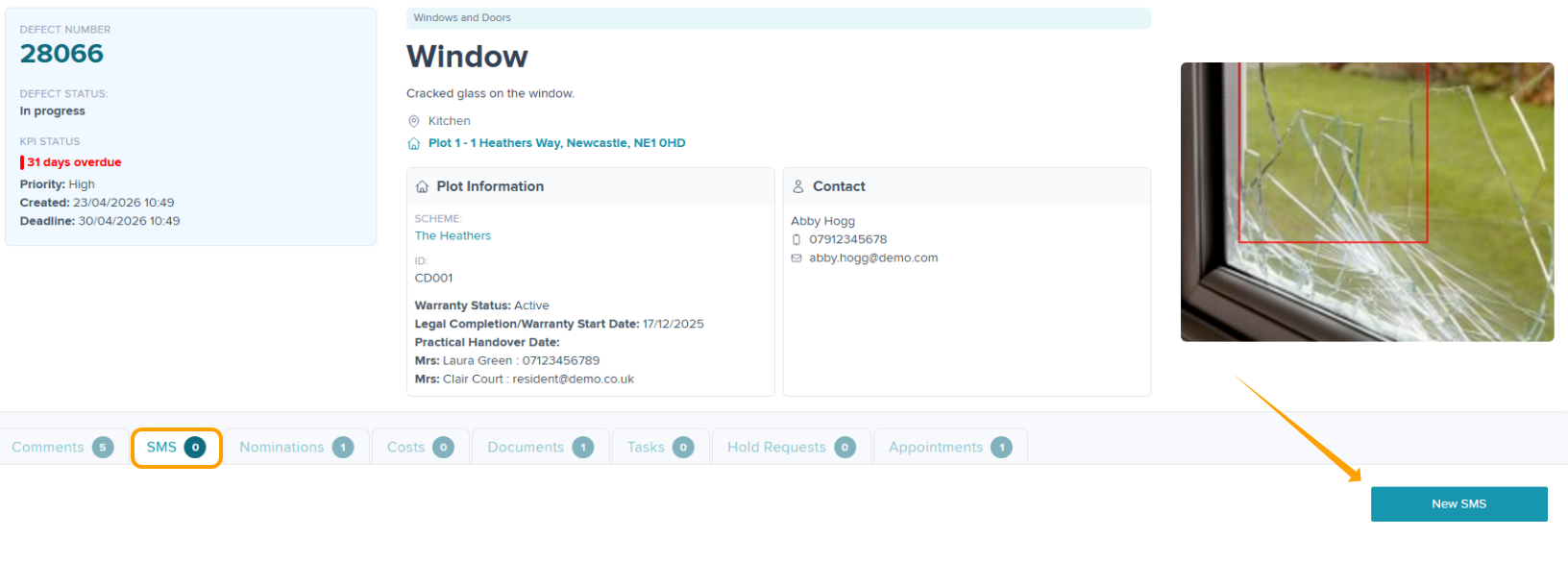
Step 1: Within the 'SMS' tab on the Defect select 'New SMS'
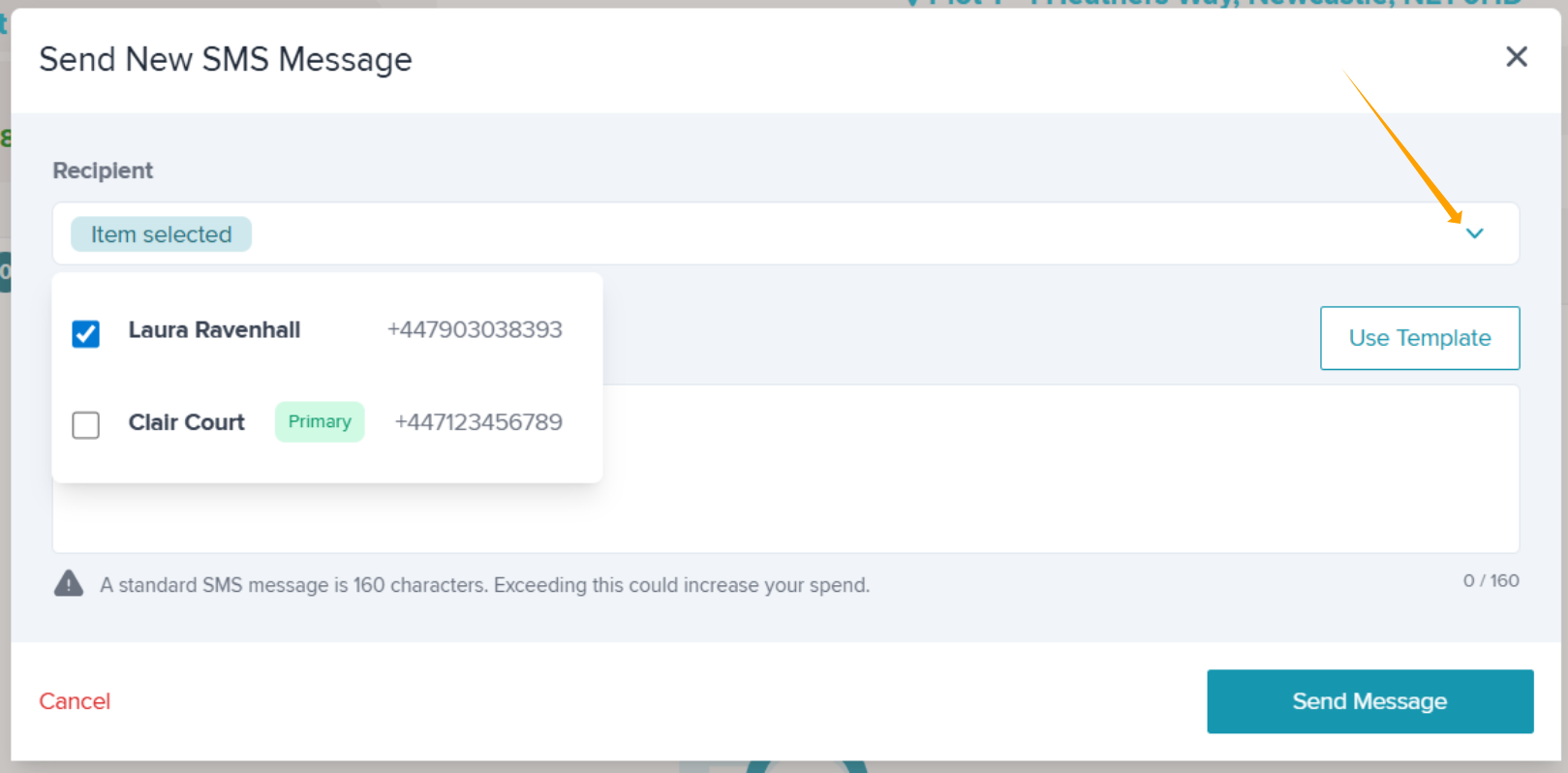
Step 2: The SMS modal will appear, where you can choose the recipient(s). They can be the Plot or Defect contacts or you can select multiple contacts, if required.
Click the down arrow to make changes to the recipients. The recipient will default to the Defect Contact.
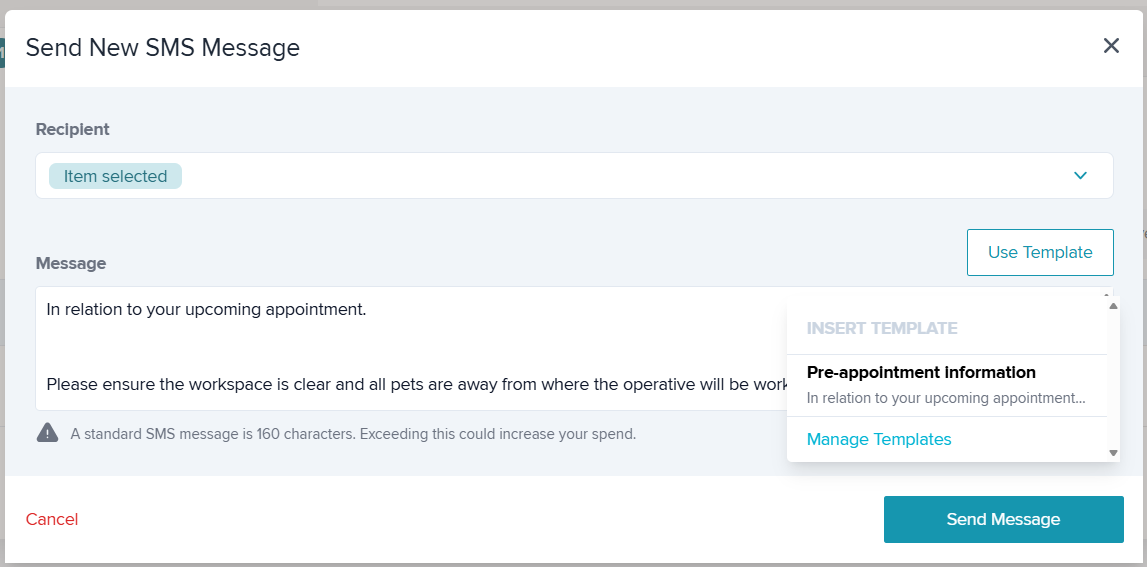
Step 3: Use the free type box to type your message, or select 'Use Template' to insert a prewritten message created by your business. Templates can still be edited before sending.
SMS can include hyperlinks, special symbols and emojis ?
Step 4: Click 'Send Message'.
Audit Trail
An audit trail will be recorded in both the 'SMS' and the 'Comments' tabs.
This includes the date and time, message content, and recipients. You can use the Status Key within the SMS tab to see view the delivery status of the message by hovering over the phone icon.

Was this article helpful?
That’s Great!
Thank you for your feedback
Sorry! We couldn't be helpful
Thank you for your feedback
Feedback sent
We appreciate your effort and will try to fix the article