The SMS features are advanced features. If you would like more information please speak with your Account Manager.
The standard messages sent for your Appointment SMS can be customised if required, by an Admin.
To amend your templates, navigate to Admin > Message Templates
There are 4 message types for appointments;
- Appointment Confirmed (Sent when the appointment is booked)
- Appointment Rescheduled (Sent when the appointment date or time has been amended)
- Appointment Reminder (Sent 24 hours before the appointment scheduled time)
- Appointment Cancelled (Sent when the appointment has been cancelled)
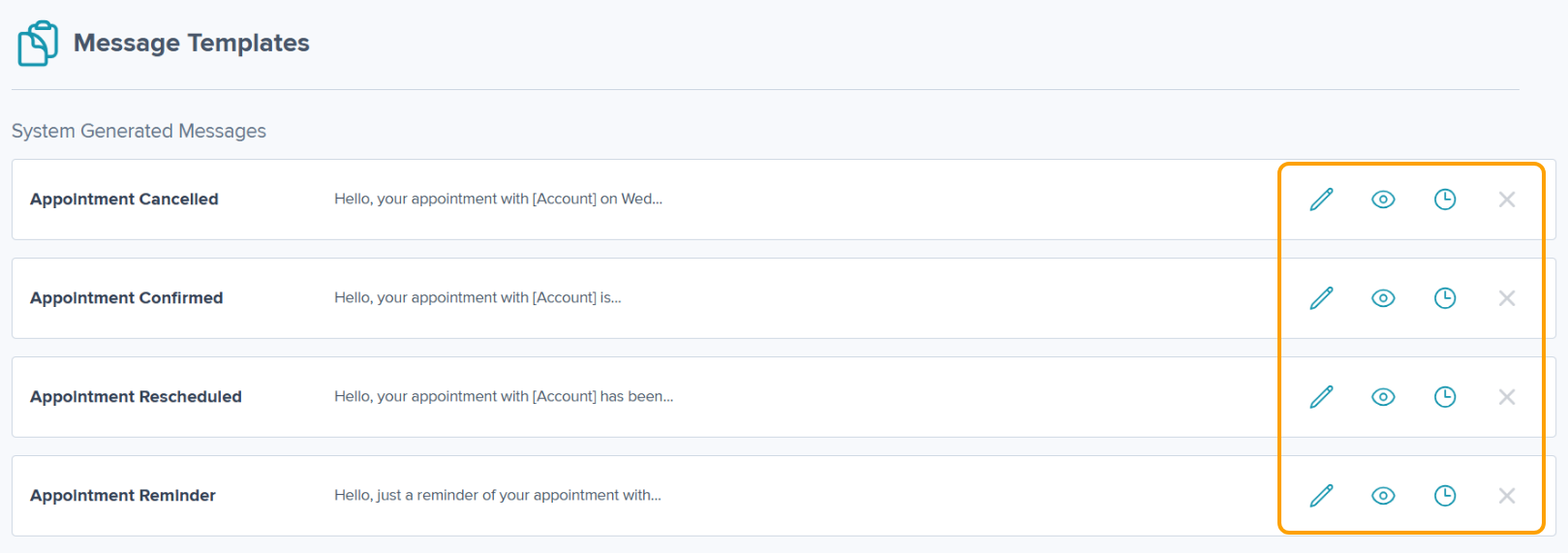
Please note: System generated messages cannot be deleted.
To edit, click the pencil icon
To view the template, click the eye icon
To view the history, click the clock icon
Adding a Custom SMS Template
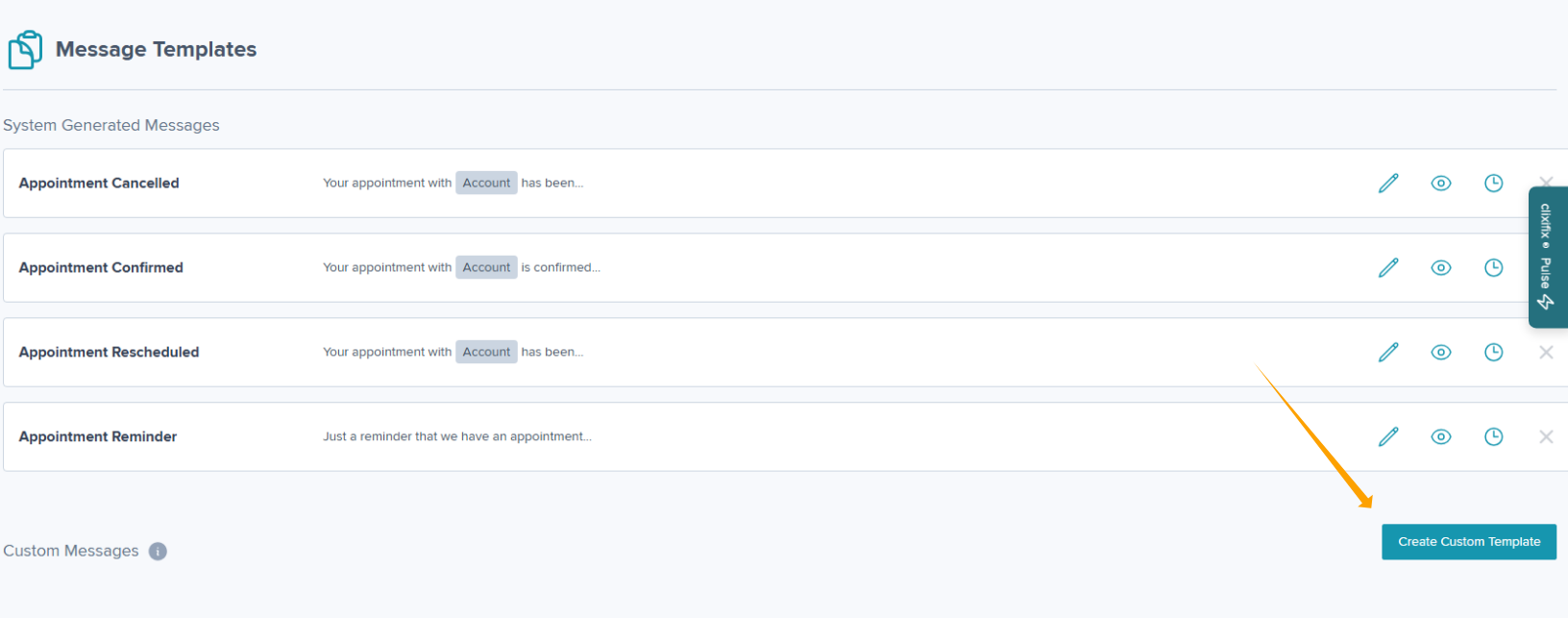
Step 1: Navigate to Admin > Message Templates & click Create Custom Template
Step 2: Complete the Title and Message
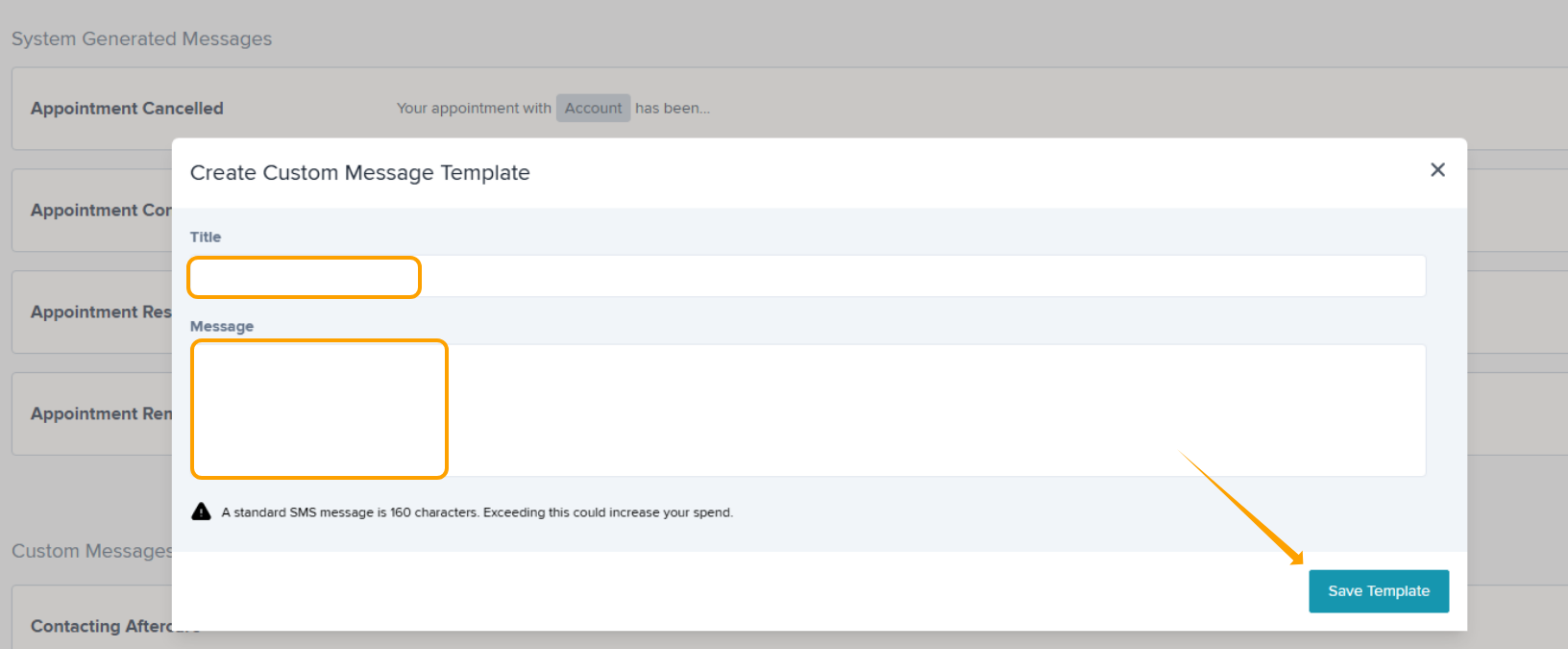
Step 3: Click Save Template
Editing a System Generated Message
Step 1: Navigate to Admin > Message Templates & select the pencil icon.
Step 2: Amend your message as required. You can use the Dynamic Parameters to help you build a message which will pull the relevant info from your account per Defect.
- Account (your account name)
- Appointment Date
- Appointment Start Time
- Appointment End Time
- Attendee (attendee name)
- Reference Number
- Support Telephone Number (numeric)
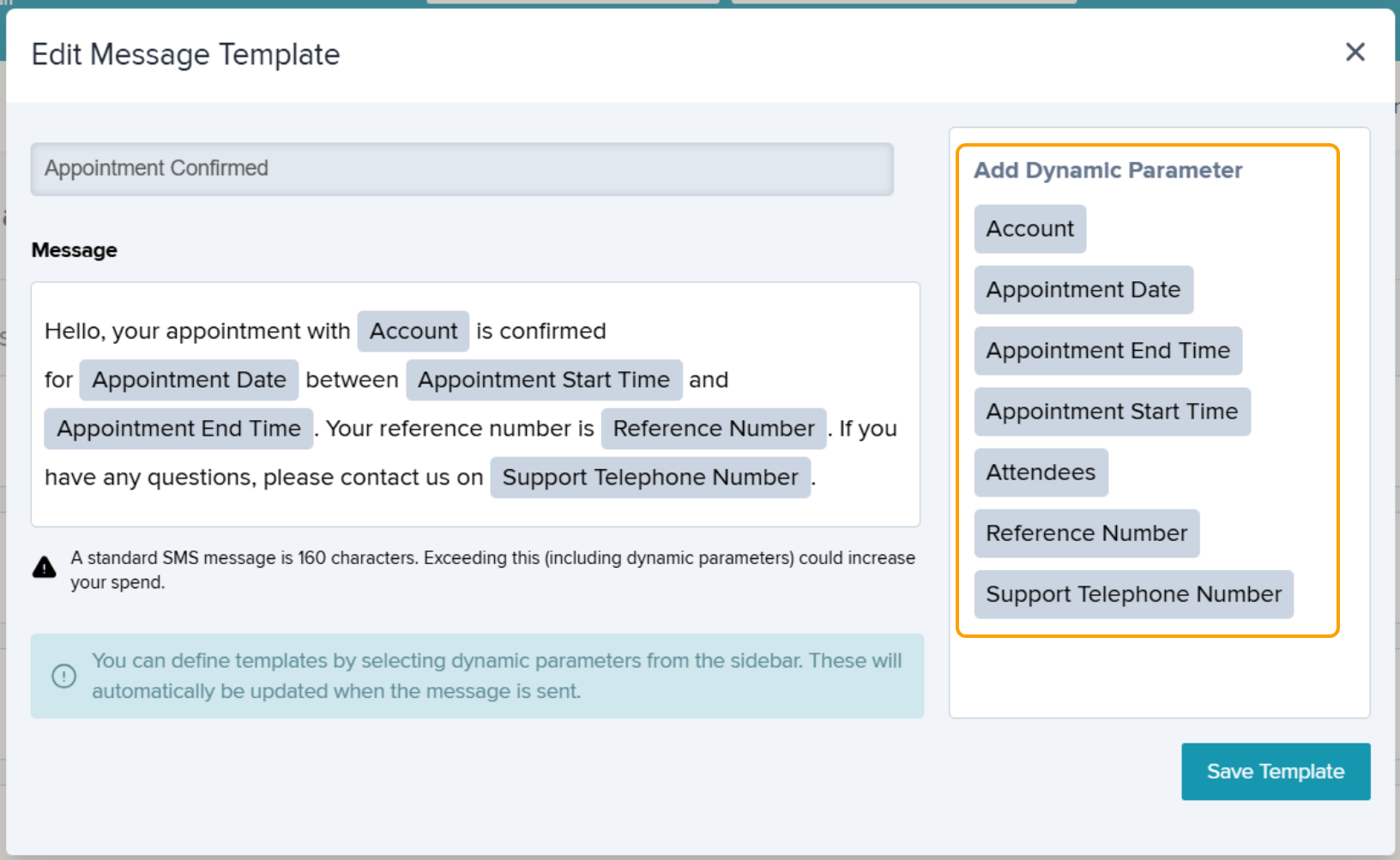
Step 3: Select Save Template to save your changes.
Was this article helpful?
That’s Great!
Thank you for your feedback
Sorry! We couldn't be helpful
Thank you for your feedback
Feedback sent
We appreciate your effort and will try to fix the article