Root Cause Analysis is an advanced feature. If you would like more information please speak with your Account Manager.
Root cause can either by added when creating a new Defect, editing an existing Defect or upon closure.
Adding Root Cause to a new Defect
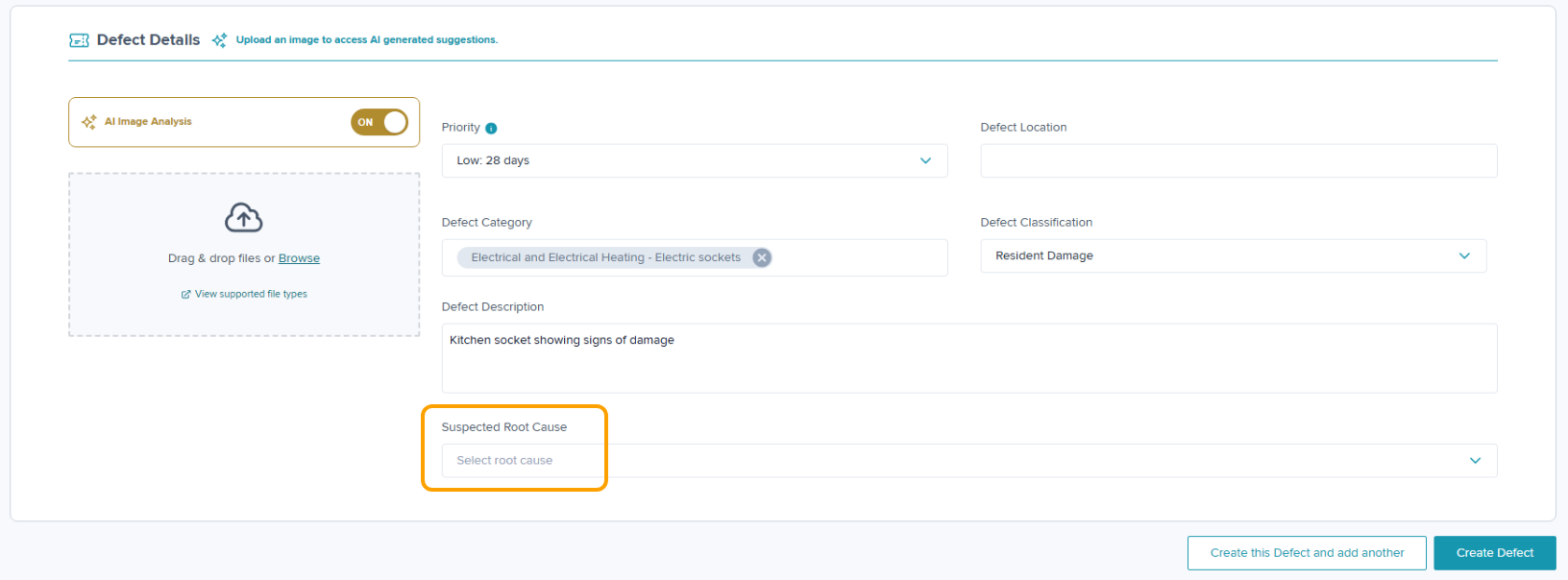
When creating a new Defect, you will see an option for 'Suspected Root Cause'. This is an optional field & can be left blank if you're unsure of the root cause at this stage. To add a cause, click into the box & selectable options will appear.
Adding Root Cause to an existing Defect
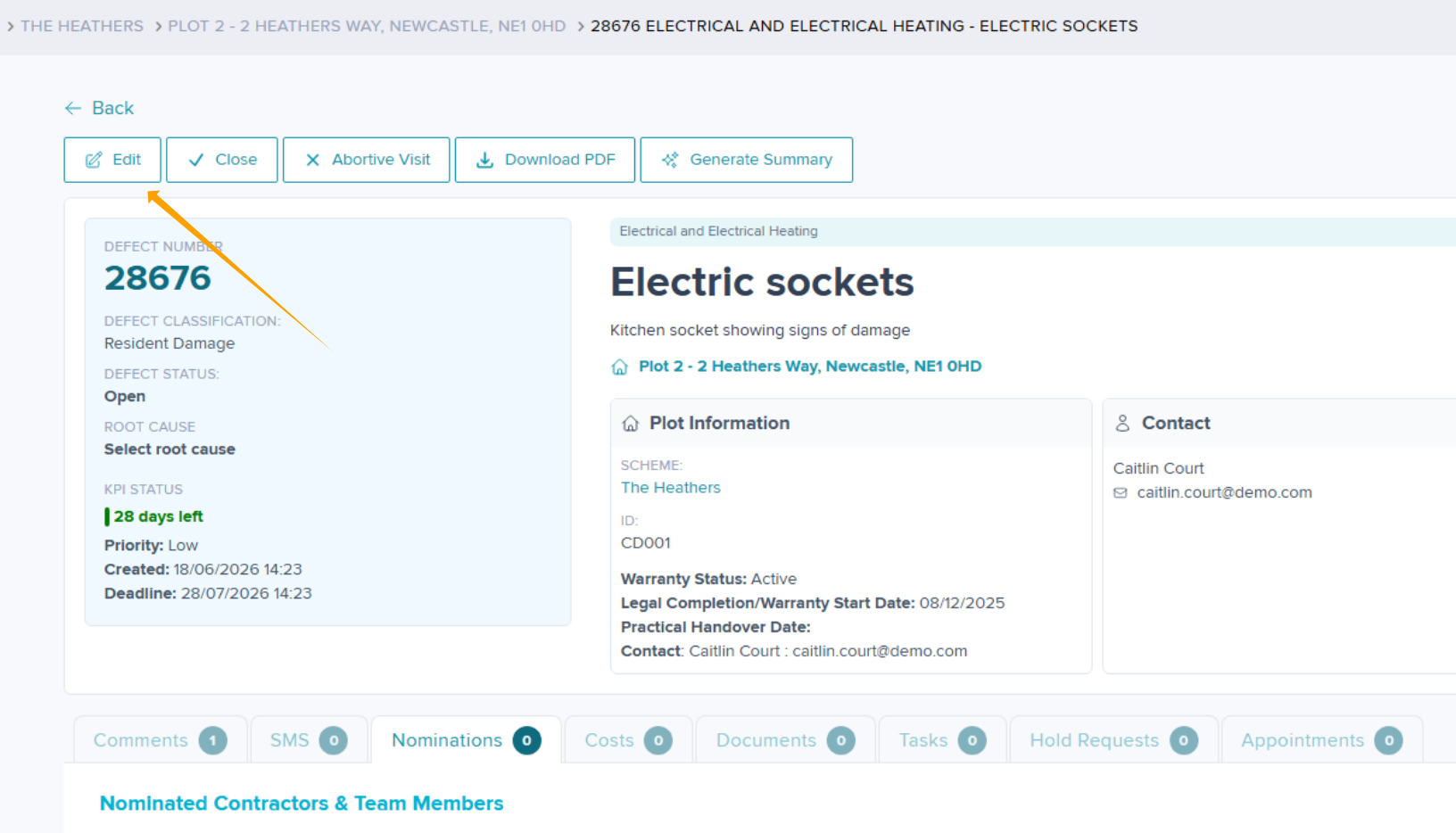
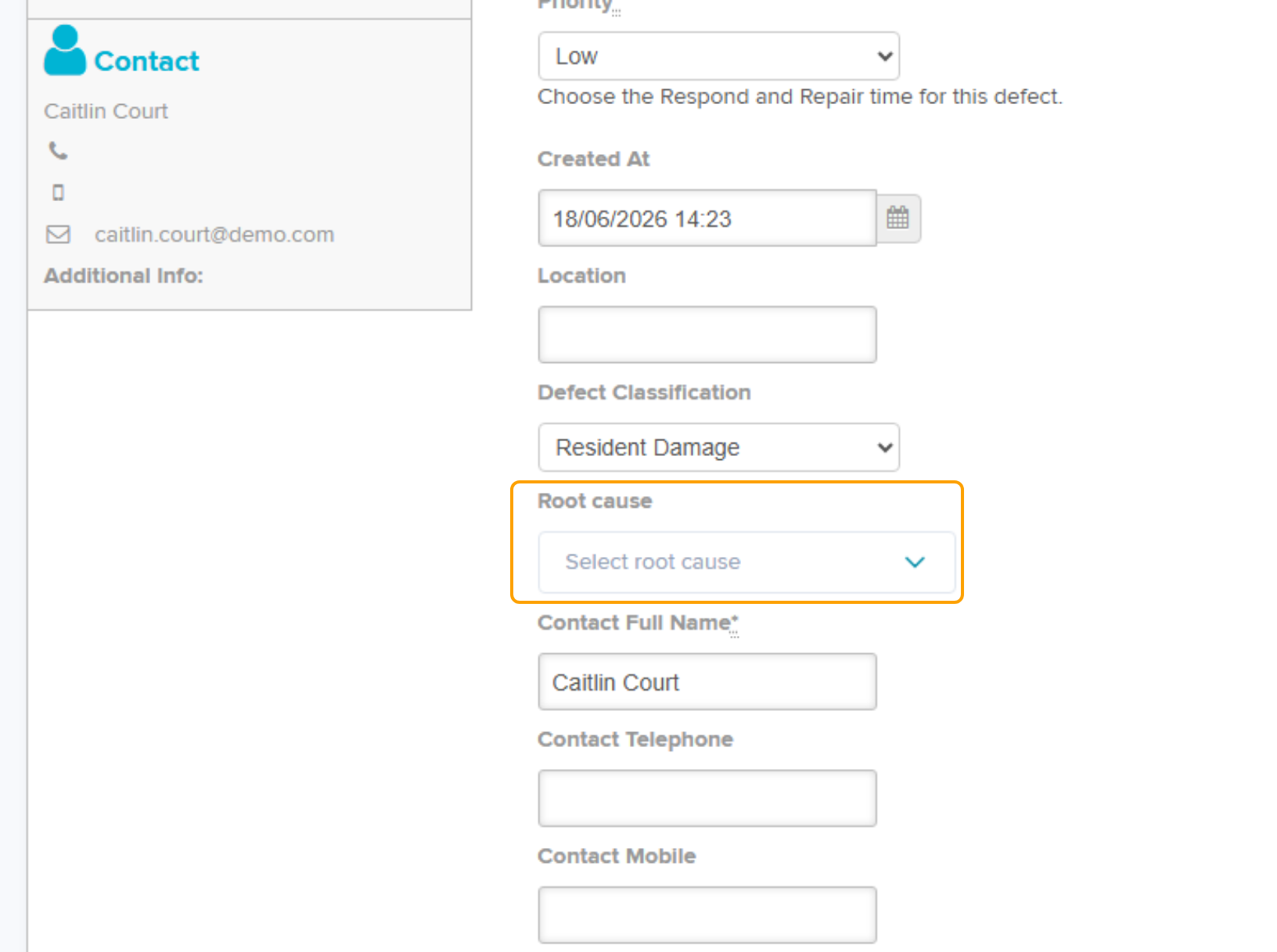
To add a root cause to a Defect already created, click into the 'Edit' section within the Defect overview. Add your root cause from the selectable options & click Submit.
Adding a Root Cause when closing a Defect
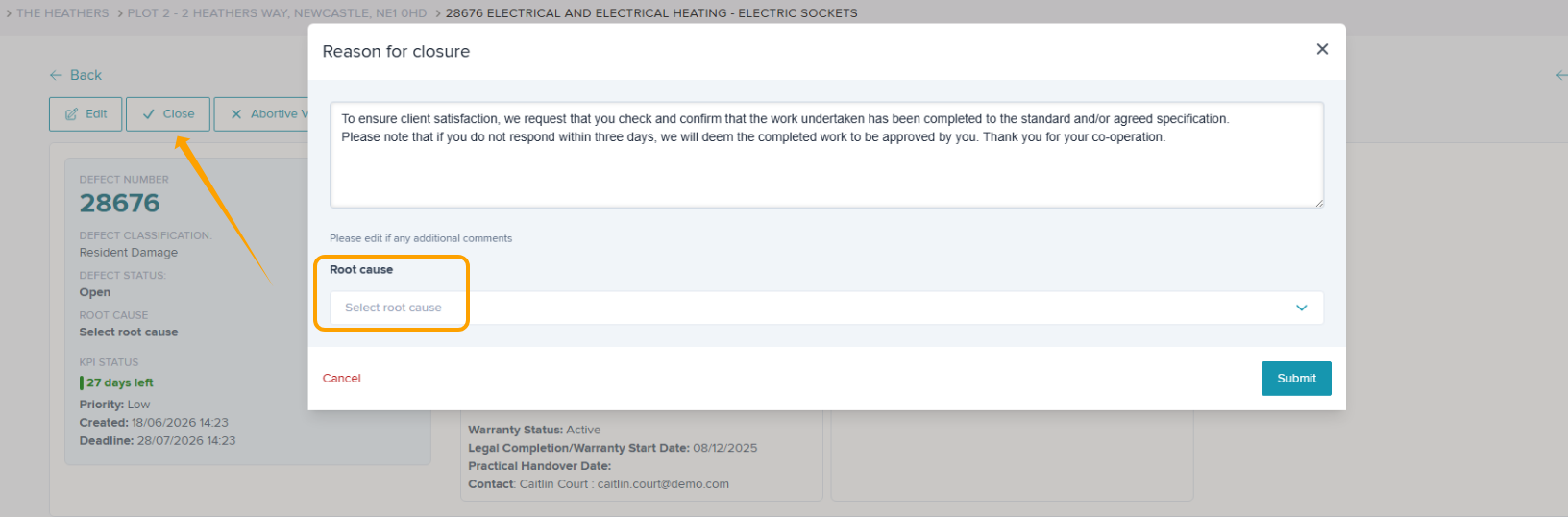
When closing a Defect, there is an option to select your Root Cause. Add your closing comments & root cause from the selectable options & click Submit.
Was this article helpful?
That’s Great!
Thank you for your feedback
Sorry! We couldn't be helpful
Thank you for your feedback
Feedback sent
We appreciate your effort and will try to fix the article