Root Cause Analysis is an advanced feature. If you would like more information please speak with your Account Manager.
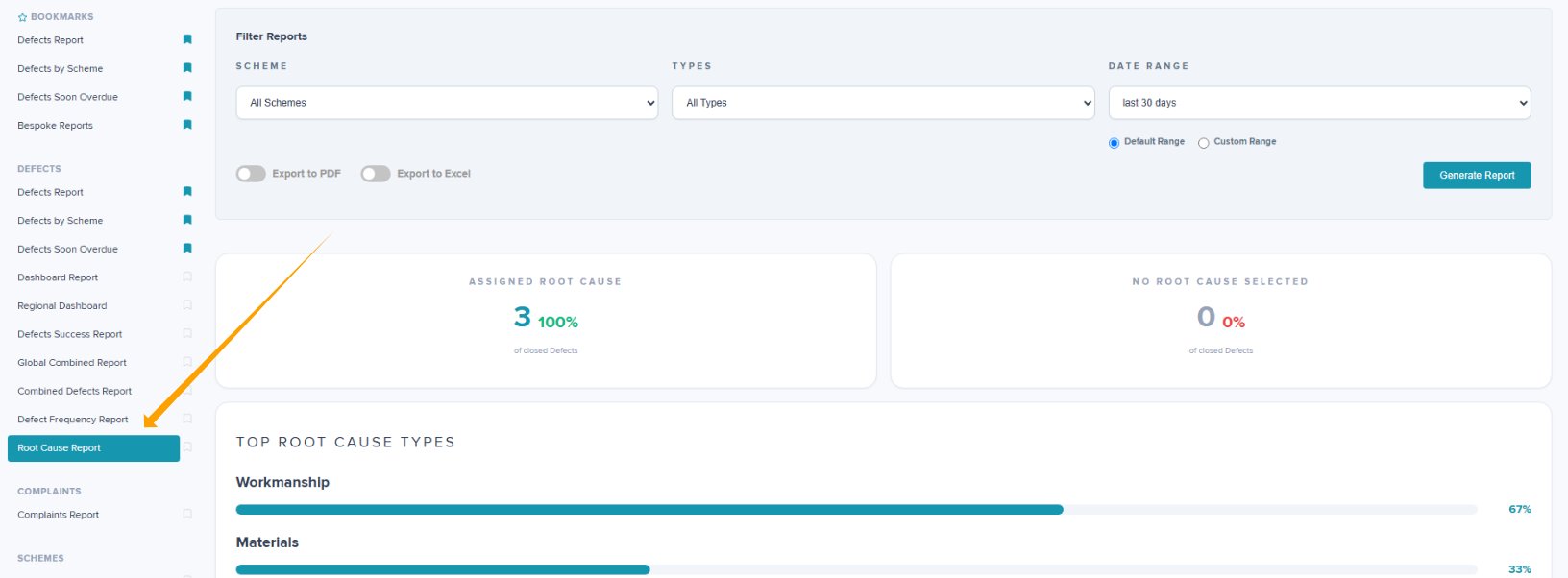
Within Reports, there is a specific report called Root Cause Report. This report has various filters which can be applied including Scheme, Type and Date, depending on your required information.
The Report can be exported to Excel or PDF by switching the Export toggle to the right which will change the colour to blue. Click 'Generate Report'.
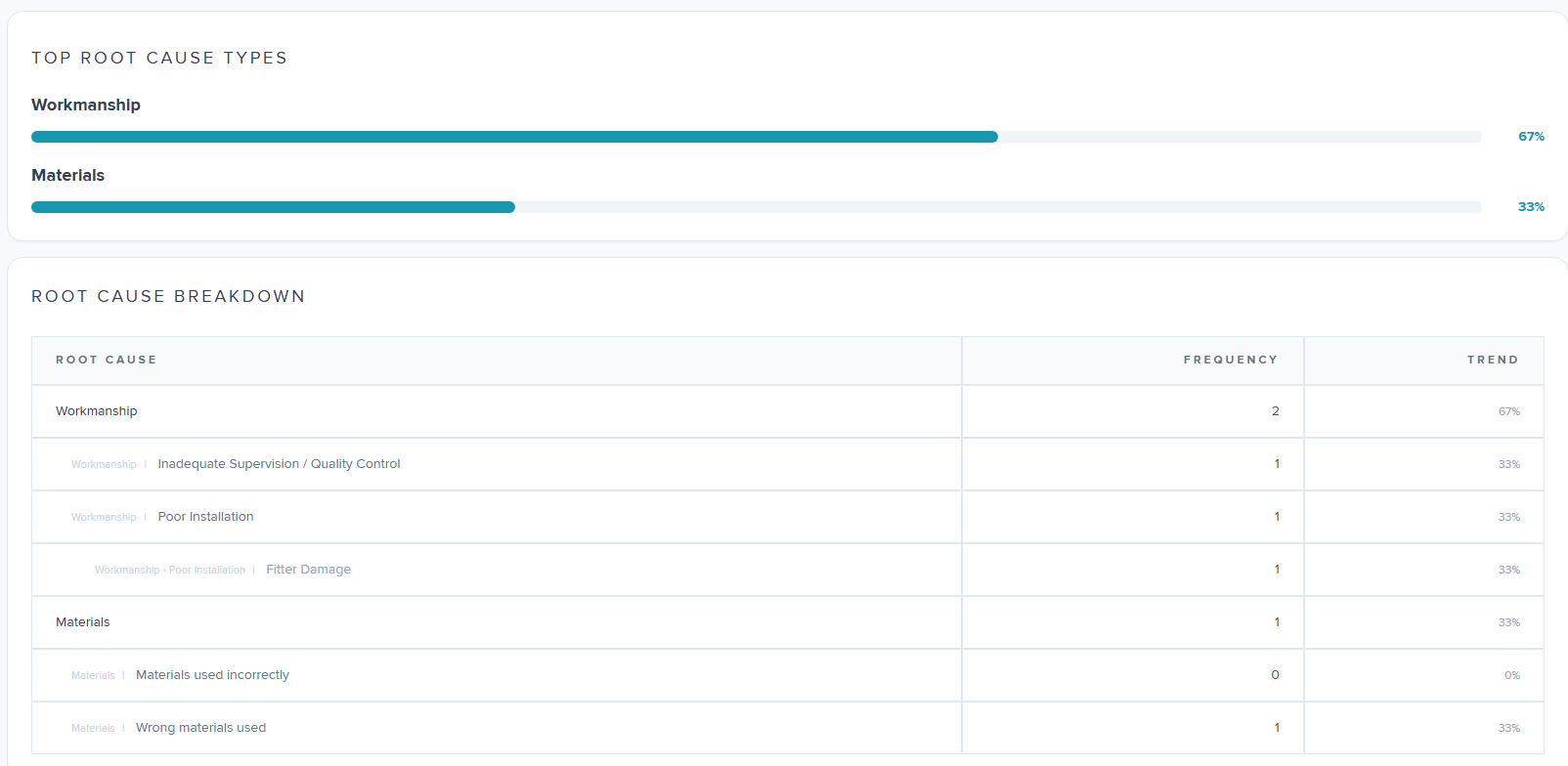
There is a further breakdown of data when you scroll to the bottom of the report, showing main/parent category type and then split down further by subcategory.
Was this article helpful?
That’s Great!
Thank you for your feedback
Sorry! We couldn't be helpful
Thank you for your feedback
Feedback sent
We appreciate your effort and will try to fix the article